Guia prático, visual e aplicado à realidade de produção
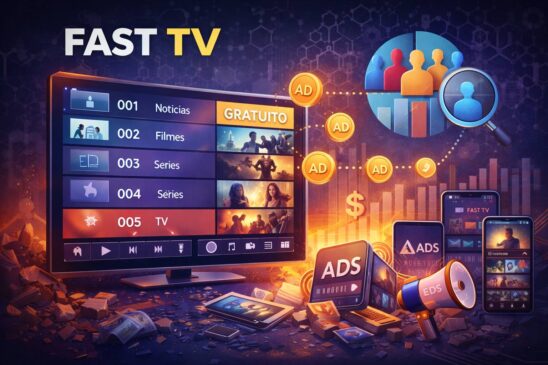
1. O ambiente real de desenvolvimento Samsung (Tizen TV)
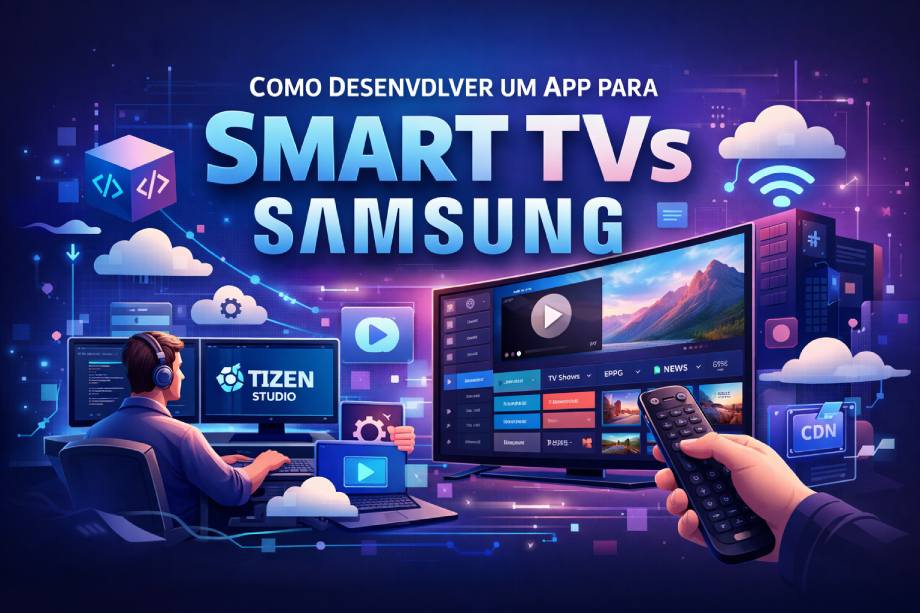
A Samsung Smart TV utiliza o sistema operacional Tizen, e o desenvolvimento oficial de aplicativos ocorre através do Tizen Studio.
Diferente de um app mobile ou web comum, um app de TV é um software embarcado, que roda em hardware limitado, controlado por controle remoto e otimizado para uso contínuo (horas ligado).
Ferramenta central: Tizen Studio
O Tizen Studio é responsável por:
- Criar o projeto do app
- Empacotar o aplicativo para TV
- Assinar digitalmente o app
- Executar no emulador
- Instalar e depurar na TV real
📎 Download oficial:
https://developer.samsung.com/smarttv/develop/tools/tizen-studio.html
2. Criando um projeto FAST TV no Tizen Studio (visual)
Ao criar um novo projeto, o fluxo correto é:
File → New → Tizen Project → TV → Web Application
Você escolhe:
- Profile: TV
- Template: Basic Web Application
O Tizen cria automaticamente a estrutura mínima necessária para uma Smart TV.
3. Estrutura real de um app FAST (como ele nasce no código)
Depois de criado, o projeto terá algo parecido com isso:
/fast-tv-app
 ├── index.html        ← ponto de entrada
 ├── config.xml        ← manifesto do app (obrigatório)
 ├── css/
 │    └── style.css
 ├── js/
 │    ├── app.js       ← lógica principal
 │    ├── player.js   ← controle do HLS
 │    ├── epg.js      ← guia de programação
 │    └── keys.js     ← controle remoto
 └── assets/
      └── logos/
O config.xml é o “RG” do app
É nele que você define:
- ID do app
- Versão
- Permissões
- Perfil de TV
- Orientações de tela
4. Diagrama real: como um FAST HLS funciona na prática
Antes de falar de código, é essencial visualizar a arquitetura.
Arquitetura FAST Linear com HLS
Usuário
  │
Controle Remoto
  │
Samsung TV (Tizen)
  │
Tizen Web App
  │
Player AVPlay
  │
HLS (.m3u8)
  │
CDN / Encoder
Ou em camadas:
┌───────────────────────┐
│ Interface TV (UI)     │ ← foco, navegação, EPG
├───────────────────────┤
│ Player Controller     │ ← troca de canal, watchdog
├───────────────────────┤
│ AVPlay (nativo)       │ ← player da Samsung
├───────────────────────┤
│ HLS Stream (.m3u8)    │ ← live FAST
└───────────────────────┘
📌 Por isso FAST é diferente de VOD:
o app não escolhe o vídeo, ele entra no fluxo contínuo.
5. Player HLS: por que AVPlay é a escolha certa
A Samsung fornece o AVPlay, um player nativo altamente integrado ao sistema da TV.
O que o AVPlay resolve melhor que <video>:
- Reconexão de streams live
- Controle de buffer
- Melhor estabilidade em longas sessões
- Integração com hardware da TV
📎 Documentação oficial AVPlay:
https://developer.samsung.com/smarttv/develop/api-references/samsung-product-api-references/avplay-api.html
6. Experiência de TV: foco, controle remoto e zapping
TV não é touch. Tudo gira em torno de foco.
Navegação típica em um FAST:
| Tecla | Ação |
|---|---|
| ↑ ↓ | Lista rápida de canais |
| OK | Mostrar informações do canal |
| ← → | Navegação no guia |
| Back | Fechar overlay / sair |
| CH+ / CH- | Zapping direto |
Regra de ouro:
Se o foco se perder, o app é reprovado (pelo usuário ou pela loja).
7. Guia de Programação (EPG) integrado ao HLS
Mesmo sendo live, o FAST precisa de contexto.
EPG mínimo (Now / Next)
- Agora: o que está passando
- A seguir: próximo programa
- Barra de progresso baseada no tempo
EPG completo (nível TV profissional)
- Grade vertical (canais)
- Linha do tempo horizontal
- Navegação fluida com setas
Tecnicamente, o EPG não vem do HLS
Ele vem de uma API separada, sincronizada pelo relógio.
8. Testes reais: emulador vs TV física
Emulador (Tizen Emulator)
Serve para:
- Testar layout
- Navegação
- Fluxo de telas
- Debug rápido
TV real (obrigatório)
Só na TV você valida:
- Performance real
- Zapping rápido
- Reconexão de HLS
- Comportamento do controle físico
FAST que não roda 6h seguidas na TV real não está pronto.
9. Assinatura e publicação (o passo final)
Antes de publicar, o app precisa ser assinado digitalmente.
Depois disso, você publica via Samsung Seller Office.
📎 Portal oficial de publicação:
https://developer.samsung.com/tv-seller-office
10. O que diferencia um FAST amador de um FAST profissional
| Amador | Profissional |
|---|---|
| Tela preta ao falhar | Fallback automático |
| Zapping lento | Troca instantânea |
| Sem EPG | Guia completo |
| Trava após horas | Watchdog ativo |
| Só 1 stream | Primary + Backup |
Conclusão (visão de produto, não só código)
Desenvolver um app FAST HLS para Samsung não é só tocar um vídeo.
É construir um canal de TV digital, com:
- Engenharia de streaming
- UX de sala de estar
- Resiliência de produção
- Performance de hardware embarcado
Quando bem feito, o resultado é:
Uma TV que o usuário esquece que é um app.
A seguir vai um modelo realista e pronto pra virar projeto de app FAST (HLS) para Samsung Tizen Web App, com:
- ✅ Estrutura de pastas
- ✅ Código de verdade:
PlayerAdapter (AVPlay),ZappingController,EPGService - ✅ Modelo de JSON: canais + EPG (Now/Next e grade completa)
- ✅ Teclas do controle e fluxo típico de TV
Observação: eu vou te dar um esqueleto funcional/implementável. Dependendo do Tizen/ano do device, alguns detalhes de evento/estado do AVPlay variam um pouco, mas a arquitetura (que é o que importa) fica igual.
1) Estrutura de projeto (Tizen Web App)
fast-samsung-tizen/
 ├── index.html
 ├── config.xml
 ├── css/
 │   └── style.css
 ├── js/
 │   ├── main.js              # bootstrap
 │   ├── core/
 │   │   ├── eventBus.js
 │   │   ├── logger.js
 │   │   └── storage.js
 │   ├── player/
 │   │   ├── PlayerAdapter.js # interface
 │   │   ├── AVPlayAdapter.js # implementação samsung
 │   │   ├── ZappingController.js
 │   │   └── Watchdog.js
 │   ├── data/
 │   │   ├── ChannelService.js
 │   │   └── EPGService.js
 │   └── ui/
 │       ├── FocusManager.js
 │       ├── overlays.js
 │       └── screens.js
 └── assets/
     └── logos/
2) index.html (inclui AVPlay e webapis)
Em Tizen/Samsung, normalmente você inclui
webapis.jspra acessar as APIs de produto (AVPlay etc.)
<!DOCTYPE html>
<html>
<head>
  <meta charset="utf-8" />
  <title>FAST TV</title>
  <meta name="viewport" content="width=1920,height=1080" />
  <link rel="stylesheet" href="css/style.css" />
</head>

<body>
  <!-- AVPlay costuma ser instanciado via object -->
  <object id="avplay"
          type="application/avplayer"
          style="position:absolute; left:0; top:0; width:100%; height:100%;">
  </object>

  <div id="overlay" class="overlay hidden">
    <div id="overlayChannel"></div>
    <div id="overlayNow"></div>
    <div id="overlayNext"></div>
    <div id="overlayMsg"></div>
  </div>

  <!-- Samsung/Tizen product api -->
  <script src="$WEBAPIS/webapis/webapis.js"></script>

  <script type="module" src="js/main.js"></script>
</body>
</html>
3) PlayerAdapter (interface) — padrão “camada de abstração”
// js/player/PlayerAdapter.js
export class PlayerAdapter {
  async open(url) { throw new Error("not implemented"); }
  play() { throw new Error("not implemented"); }
  pause() { throw new Error("not implemented"); }
  stop() { throw new Error("not implemented"); }
  close() { throw new Error("not implemented"); }
  setListener(listener) { throw new Error("not implemented"); }
  getState() { return "UNKNOWN"; }
  getPlaybackTimeMs() { return 0; }
}
4) AVPlayAdapter (Samsung) — implementação real
// js/player/AVPlayAdapter.js
import { log } from "../core/logger.js";
import { PlayerAdapter } from "./PlayerAdapter.js";

export class AVPlayAdapter extends PlayerAdapter {
  constructor(objectId = "avplay") {
    super();
    this.obj = document.getElementById(objectId);
    this.listener = null;
    this.state = "IDLE";
    this.lastTimeMs = 0;
  }

  setListener(listener) {
    this.listener = listener;
  }

  async open(url) {
    log("AVPlay open:", url);
    this.state = "OPENING";
    this._notify("state", { state: this.state });

    try {
      // webapis.avplay é o principal
      webapis.avplay.close(); // garante limpeza
      webapis.avplay.open(url);

      // listener nativo
      webapis.avplay.setListener({
        onbufferingstart: () => this._onBuffering(true),
        onbufferingcomplete: () => this._onBuffering(false),
        onbufferingprogress: (p) => this._notify("buffer", { progress: p }),
        oncurrentplaytime: (ms) => {
          this.lastTimeMs = ms;
          this._notify("time", { ms });
        },
        onevent: (eventType, eventData) => {
          this._notify("event", { eventType, eventData });
        },
        onstreamcompleted: () => {
          this.state = "ENDED";
          this._notify("ended", {});
        },
        onerror: (err) => {
          this.state = "ERROR";
          this._notify("error", { err });
        }
      });

      // display full screen
      webapis.avplay.setDisplayRect(0, 0, 1920, 1080);

      // Prepare
      await new Promise((resolve, reject) => {
        webapis.avplay.prepareAsync(
          () => resolve(),
          (e) => reject(e)
        );
      });

      this.state = "READY";
      this._notify("state", { state: this.state });

    } catch (e) {
      log("AVPlay open failed:", e);
      this.state = "ERROR";
      this._notify("error", { err: e });
      throw e;
    }
  }

  play() {
    try {
      webapis.avplay.play();
      this.state = "PLAYING";
      this._notify("state", { state: this.state });
    } catch (e) {
      this.state = "ERROR";
      this._notify("error", { err: e });
    }
  }

  pause() {
    try {
      webapis.avplay.pause();
      this.state = "PAUSED";
      this._notify("state", { state: this.state });
    } catch (e) {
      this._notify("error", { err: e });
    }
  }

  stop() {
    try {
      webapis.avplay.stop();
      this.state = "STOPPED";
      this._notify("state", { state: this.state });
    } catch (e) {
      this._notify("error", { err: e });
    }
  }

  close() {
    try {
      webapis.avplay.close();
      this.state = "IDLE";
      this._notify("state", { state: this.state });
    } catch (e) {
      // ignora
    }
  }

  getState() { return this.state; }
  getPlaybackTimeMs() { return this.lastTimeMs; }

  _onBuffering(isBuffering) {
    this._notify("buffering", { isBuffering });
  }

  _notify(type, payload) {
    if (this.listener && typeof this.listener === "function") {
      this.listener(type, payload);
    }
  }
}
5) ZappingController (troca de canal com debounce + cancelamento + fallback)
// js/player/ZappingController.js
import { log } from "../core/logger.js";

export class ZappingController {
  constructor({ player, channelService, epgService, overlay }) {
    this.player = player;
    this.channelService = channelService;
    this.epgService = epgService;
    this.overlay = overlay;

    this.currentIndex = 0;
    this.tuneToken = 0;
    this.debounceTimer = null;

    // políticas
    this.STARTUP_TIMEOUT_MS = 10000;
  }

  getCurrentChannel() {
    return this.channelService.getChannels()[this.currentIndex];
  }

  zap(delta) {
    const channels = this.channelService.getChannels();
    this.currentIndex = (this.currentIndex + delta + channels.length) % channels.length;
    const ch = channels[this.currentIndex];

    // overlay aparece imediato (sensação TV)
    this.overlay.showChannel(ch);

    // debounce pra não matar a TV com 20 zaps
    clearTimeout(this.debounceTimer);
    this.debounceTimer = setTimeout(() => this.tune(ch), 200);
  }

  async tune(channel) {
    const token = ++this.tuneToken;
    log("Tune channel:", channel.id, "token:", token);

    // mostra now/next rápido se tiver cache
    const nowNext = this.epgService.getNowNextCached(channel.id);
    if (nowNext) this.overlay.showNowNext(nowNext);

    // tenta tocar primary e depois backup
    const attempts = [
      { url: channel.stream.primary, label: "primary" },
      ...(channel.stream.backup ? [{ url: channel.stream.backup, label: "backup" }] : [])
    ];

    for (let i = 0; i < attempts.length; i++) {
      if (token !== this.tuneToken) return; // cancelado por novo zap

      const { url, label } = attempts[i];
      this.overlay.setMessage(`Carregando (${label})...`);

      try {
        await this._openPlayWithTimeout(url, token);
        this.overlay.setMessage(""); // limpa
        return;
      } catch (e) {
        log("Tune failed", label, e);
      }
    }

    // se tudo falhar: fallback global (safe channel)
    const safe = this.channelService.getSafeChannel();
    if (safe && token === this.tuneToken) {
      this.overlay.setMessage("Sem sinal. Indo para canal seguro...");
      try {
        await this._openPlayWithTimeout(safe.stream.primary, token);
      } catch (e) {
        this.overlay.setMessage("Falha geral de reprodução.");
      }
    }
  }

  async _openPlayWithTimeout(url, token) {
    const timeout = new Promise((_, reject) =>
      setTimeout(() => reject(new Error("startup_timeout")), this.STARTUP_TIMEOUT_MS)
    );

    const openAndPlay = (async () => {
      await this.player.open(url);
      if (token !== this.tuneToken) return;
      this.player.play();
    })();

    return Promise.race([openAndPlay, timeout]);
  }
}
6) EPGService (Now/Next + Grade) com cache e refresh
// js/data/EPGService.js
import { log } from "../core/logger.js";

export class EPGService {
  constructor({ epgUrl }) {
    this.epgUrl = epgUrl;
    this.cache = new Map(); // channelId -> { now, next, schedule[] }
    this.lastFetch = 0;
    this.MIN_REFRESH_MS = 60_000; // 1 min
  }

  getNowNextCached(channelId) {
    const c = this.cache.get(channelId);
    return c ? { now: c.now, next: c.next } : null;
  }

  async refreshIfNeeded() {
    const now = Date.now();
    if (now - this.lastFetch < this.MIN_REFRESH_MS) return;

    this.lastFetch = now;
    await this.fetchAll();
  }

  async fetchAll() {
    log("Fetching EPG:", this.epgUrl);
    const res = await fetch(this.epgUrl, { cache: "no-store" });
    const data = await res.json();

    // data.channels: array
    for (const ch of data.channels) {
      this.cache.set(ch.channelId, {
        now: ch.now,
        next: ch.next,
        schedule: ch.schedule || []
      });
    }
  }
}
7) Watchdog (antitela-preta)
// js/player/Watchdog.js
export class Watchdog {
  constructor({ player, onStall }) {
    this.player = player;
    this.onStall = onStall;
    this.lastTime = 0;
    this.lastTick = Date.now();
    this.STALL_MS = 12000;
    this.timer = null;
  }

  start() {
    this.stop();
    this.timer = setInterval(() => this.tick(), 3000);
  }

  stop() {
    if (this.timer) clearInterval(this.timer);
    this.timer = null;
  }

  tick() {
    const t = this.player.getPlaybackTimeMs();
    const now = Date.now();

    // se o tempo não evoluiu por muito tempo
    if (t === this.lastTime && now - this.lastTick > this.STALL_MS) {
      this.onStall?.();
      this.lastTick = now;
    }

    if (t !== this.lastTime) {
      this.lastTime = t;
      this.lastTick = now;
    }
  }
}
8) Overlay (UI mínima “TV-like”)
// js/ui/overlays.js
export class Overlay {
  constructor() {
    this.el = document.getElementById("overlay");
    this.ch = document.getElementById("overlayChannel");
    this.now = document.getElementById("overlayNow");
    this.next = document.getElementById("overlayNext");
    this.msg = document.getElementById("overlayMsg");
    this.hideTimer = null;
  }

  showChannel(channel) {
    this.el.classList.remove("hidden");
    this.ch.textContent = `${channel.number ?? ""} ${channel.name}`;
    this._autoHide();
  }

  showNowNext({ now, next }) {
    if (now) this.now.textContent = `Agora: ${now.title}`;
    if (next) this.next.textContent = `A seguir: ${next.title}`;
    this._autoHide();
  }

  setMessage(text) {
    this.msg.textContent = text || "";
    if (text) this.el.classList.remove("hidden");
    this._autoHide();
  }

  _autoHide() {
    clearTimeout(this.hideTimer);
    this.hideTimer = setTimeout(() => {
      this.el.classList.add("hidden");
    }, 4000);
  }
}
9) main.js (bootstrap + teclas + fluxo)
// js/main.js
import { AVPlayAdapter } from "./player/AVPlayAdapter.js";
import { ZappingController } from "./player/ZappingController.js";
import { Watchdog } from "./player/Watchdog.js";
import { ChannelService } from "./data/ChannelService.js";
import { EPGService } from "./data/EPGService.js";
import { Overlay } from "./ui/overlays.js";

async function init() {
  const overlay = new Overlay();

  const channelService = new ChannelService({ channelsUrl: "assets/channels.json" });
  await channelService.load();

  const epgService = new EPGService({ epgUrl: "assets/epg.json" });
  await epgService.fetchAll();

  const player = new AVPlayAdapter("avplay");
  player.setListener((type, payload) => {
    // aqui você conecta logs, buffering UI, etc.
    // console.log(type, payload);
  });

  const zapping = new ZappingController({
    player,
    channelService,
    epgService,
    overlay
  });

  const watchdog = new Watchdog({
    player,
    onStall: () => {
      overlay.setMessage("Reconectando…");
      zapping.tune(zapping.getCurrentChannel());
    }
  });
  watchdog.start();

  // iniciar no canal 0
  await zapping.tune(zapping.getCurrentChannel());

  // teclas
  document.addEventListener("keydown", (e) => {
    switch (e.keyCode) {
      case 38: // up
        zapping.zap(-1);
        break;
      case 40: // down
        zapping.zap(+1);
        break;
      case 13: // enter
        overlay.showChannel(zapping.getCurrentChannel());
        break;
      case 10009: // Tizen back (muitos devices)
      case 27: // esc
        // aqui você fecha overlays, abre modal "sair", etc.
        overlay.setMessage("Pressione Back novamente para sair");
        break;
    }
  });

  // refresh de EPG em background
  setInterval(() => epgService.refreshIfNeeded(), 30_000);
}

init();
10) ChannelService + JSON de canais (modelo pronto)
ChannelService.js
// js/data/ChannelService.js
export class ChannelService {
  constructor({ channelsUrl }) {
    this.channelsUrl = channelsUrl;
    this.channels = [];
    this.safeChannelId = null;
  }

  async load() {
    const res = await fetch(this.channelsUrl, { cache: "no-store" });
    const data = await res.json();
    this.channels = data.channels;
    this.safeChannelId = data.safeChannelId;
  }

  getChannels() { return this.channels; }

  getSafeChannel() {
    return this.channels.find(c => c.id === this.safeChannelId) || null;
  }
}
📦 assets/channels.json (modelo de canais)
{
  "safeChannelId": "safe",
  "channels": [
    {
      "id": "news24",
      "number": 1,
      "name": "NEWS 24",
      "logo": "assets/logos/news24.png",
      "category": "Notícias",
      "stream": {
        "primary": "https://seu-cdn.com/news24/master.m3u8",
        "backup": "https://backup-cdn.com/news24/master.m3u8"
      }
    },
    {
      "id": "movies",
      "number": 2,
      "name": "FILMES",
      "logo": "assets/logos/movies.png",
      "category": "Filmes",
      "stream": {
        "primary": "https://seu-cdn.com/movies/master.m3u8",
        "backup": null
      }
    },
    {
      "id": "safe",
      "number": 999,
      "name": "CANAL SEGURO",
      "logo": "assets/logos/safe.png",
      "category": "Sistema",
      "stream": {
        "primary": "https://seu-cdn.com/safe/master.m3u8",
        "backup": null
      }
    }
  ]
}
11) 📦 assets/epg.json (Now/Next + grade completa)
Esse modelo funciona bem em FAST:
{
  "generatedAt": "2026-02-02T12:00:00-03:00",
  "timezone": "America/Sao_Paulo",
  "channels": [
    {
      "channelId": "news24",
      "now": {
        "title": "Jornal da Hora",
        "start": "2026-02-02T11:30:00-03:00",
        "end": "2026-02-02T12:00:00-03:00",
        "rating": "L",
        "image": "https://seu-cdn.com/epg/news24/jornal.png"
      },
      "next": {
        "title": "Plantão ao Vivo",
        "start": "2026-02-02T12:00:00-03:00",
        "end": "2026-02-02T12:30:00-03:00",
        "rating": "L",
        "image": "https://seu-cdn.com/epg/news24/plantao.png"
      },
      "schedule": [
        {
          "title": "Jornal da Hora",
          "start": "2026-02-02T11:30:00-03:00",
          "end": "2026-02-02T12:00:00-03:00",
          "description": "Resumo das principais notícias."
        },
        {
          "title": "Plantão ao Vivo",
          "start": "2026-02-02T12:00:00-03:00",
          "end": "2026-02-02T12:30:00-03:00",
          "description": "Cobertura em tempo real."
        }
      ]
    },
    {
      "channelId": "movies",
      "now": {
        "title": "Sessão Aventura",
        "start": "2026-02-02T11:00:00-03:00",
        "end": "2026-02-02T12:40:00-03:00",
        "rating": "12"
      },
      "next": {
        "title": "Clássicos da Noite",
        "start": "2026-02-02T12:40:00-03:00",
        "end": "2026-02-02T14:10:00-03:00",
        "rating": "12"
      },
      "schedule": []
    }
  ]
}
Leia também:
✅ Como Ganhar Dinheiro com Streaming e Smart TVs em 2026 (FAST TV, Apps e Anúncios)
✅ Como Criar Renda Digital Escalável: Do App Simples aos Modelos com IA e FAST TV
✅ Como Ganhar Dinheiro com Streaming e Smart TVs em 2026 (FAST TV, Apps e Anúncios)