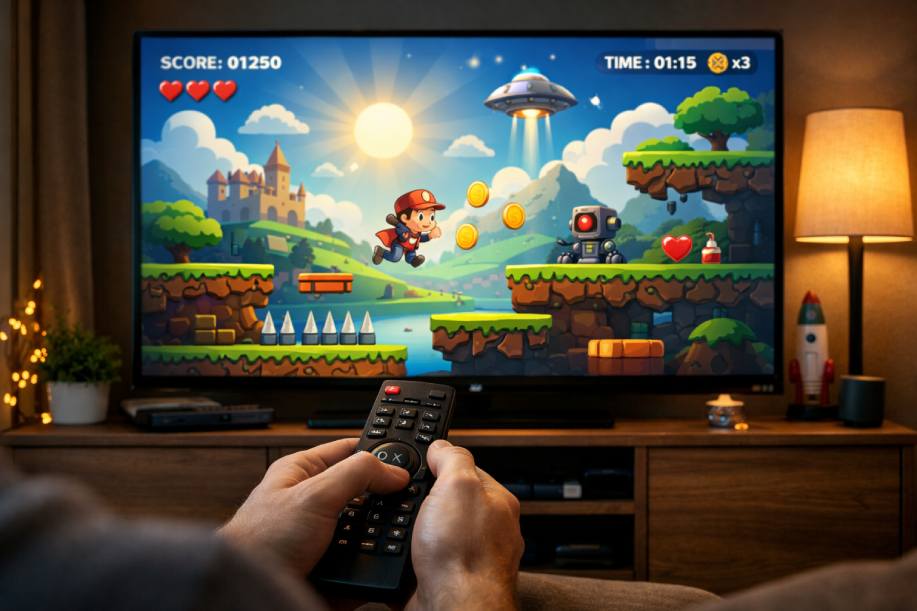
Fazer um game para Smart TV Samsung é diferente de fazer para celular ou PC por um motivo simples: a TV é um ambiente de “sala”, com usuário a alguns metros de distância, controle remoto com poucas teclas, e um runtime web que varia por geração de Tizen. Quando você acerta esses pontos (UX de foco, input, performance e compatibilidade), o desenvolvimento vira um pipeline previsível.
A Samsung, na prática, suporta jogos como apps Web para Tizen TV: você entrega um pacote com HTML/CSS/JS, geralmente com Canvas 2D (ou WebGL em casos específicos). O Canvas 2D é a rota mais segura para começar e escalar um jogo casual. (O próprio ecossistema Tizen documenta Canvas como base de renderização web.)
👉 Leia também: Por que a Samsung escolheu o Tizen?
1) Antes de codar: entenda o “alvo real” (Tizen por ano e limitações de engine)
Em Smart TV Samsung, o mesmo app pode rodar em diferentes versões do Tizen (por ano/modelo). Isso impacta:
- suporte a features de JavaScript/ES6
- detalhes de CSS e render
- performance de Canvas e APIs do navegador
A Samsung mantém uma tabela oficial com “Web Engine Specifications” por versão do Tizen (ex.: 2015→2025), o que é essencial para decidir se você pode usar um recurso moderno ou precisa de fallback.
Outro ponto importante: a Samsung define especificações gerais, incluindo resolução do app (o padrão de aplicação é 1920×1080 em todos os modelos). Isso influencia seu “layout” e escala do Canvas.
Regra prática para games 2D na TV:
- desenvolva com canvas interno em 1920×1080 e crie um escale-to-fit para telas diferentes
- evite depender de recursos “muito novos” sem checar a tabela de engine
2) Ferramentas oficiais e fluxo de teste na TV real
Ferramentas
- Tizen Studio (IDE e toolchain oficial)
- Device Manager / Remote Device Manager para conectar na TV
- TV em Developer Mode
O passo a passo de “primeiro app” em Tizen TV inclui o procedimento de ligar o Developer Mode e conectar o Tizen Studio ao aparelho (inclusive o “magic sequence” no painel de Apps).
Por que testar no aparelho real cedo?
Porque em game o que mais “pega” é:
- latência de input
- performance do render
- diferenças de engine por modelo
Emulador ajuda, mas o dispositivo real é o que manda no resultado.
3) UX para TV: “10-foot UI” e foco (o segredo para parecer app premium)
Jogos em TV precisam ser legíveis de longe e controláveis com setas + Enter + Back:
Checklist de UX que realmente melhora seu game:
- textos grandes (mínimo 24px; títulos 48–72px)
- contraste alto
- menus com “cursor” claro (▶, borda, brilho, escala)
- feedback visual/sonoro ao navegar
- sempre mostrar instruções: “↑↓ navegar • Enter confirmar • Back voltar”
A Samsung documenta o controle remoto e o comportamento de teclas/funções, inclusive diferenças entre remotos e teclas virtuais.
4) Input: controle remoto (setas, Enter, Back) sem dor
Na prática, para game, você trata input como “teclado”:
keydown/keyup- estados “isDown” (segurando) e “wasPressed” (apertou agora)
Além disso, você pode registrar algumas teclas específicas com APIs de TV (quando necessário). A Samsung documenta interação via controle remoto e suas particularidades.
Mapeamento “mínimo viável” que funciona em quase todo jogo:
ArrowUp/Down/Left/Right→ movimento/navegaçãoEnter→ ação/confirmarBack→ voltar/pausar/sair
Importante (padrão de TV):
Backquase sempre é o “escape” universal — trate com cuidado, oferecendo pausa/confirmar saída.
5) Starter kit completo (2D + remoto): arquitetura e código-fonte
Abaixo vai um kit maior e mais profissional do que o exemplo anterior:
- Scene Manager (Menu → Game → Pause → Game Over)
- Input manager (pressed/down)
- Renderer (Canvas)
- Scale-to-fit (mantém 16:9 e centraliza)
- Performance HUD opcional
- Base pronta pra você plugar sprites, mapas, inimigos etc.
👉 Leia também: Roku, LG webOS ou Samsung Tizen: Onde Vale Mais Criar Apps em 2026?
5.1 Estrutura sugerida
tv-game/
  index.html
  config.xml
  src/
    main.js
    core/
      loop.js
      input.js
      scaler.js
      sceneManager.js
      audio.js
      utils.js
    scenes/
      menu.js
      game.js
      pause.js
      gameover.js
5.2 index.html (Canvas + escala)
<!doctype html>
<html>
<head>
  <meta charset="utf-8" />
  <meta name="viewport" content="width=device-width,height=device-height" />
  <title>Samsung TV Game 2D</title>
  <style>
    html,body{margin:0;padding:0;background:#000;overflow:hidden;}
    #wrap{width:100vw;height:100vh;display:flex;align-items:center;justify-content:center;}
    canvas{background:#000;}
  </style>
</head>
<body>
  <div id="wrap">
    <canvas id="c"></canvas>
  </div>
  <script type="module" src="./src/main.js"></script>
</body>
</html>
5.3 src/core/scaler.js (escala 1920×1080 para qualquer TV)
export function createScaler(canvas, baseW = 1920, baseH = 1080) {
  canvas.width = baseW;
  canvas.height = baseH;

  function applyCSSScale() {
    const vw = window.innerWidth;
    const vh = window.innerHeight;

    const scale = Math.min(vw / baseW, vh / baseH);
    const cssW = Math.floor(baseW * scale);
    const cssH = Math.floor(baseH * scale);

    canvas.style.width = cssW + "px";
    canvas.style.height = cssH + "px";
  }

  window.addEventListener("resize", applyCSSScale);
  applyCSSScale();

  return { baseW, baseH, applyCSSScale };
}
5.4 src/core/input.js (controle remoto/teclado)
export function createInput() {
  const down = new Set();
  const pressed = new Set();

  function onKeyDown(e) {
    if (!down.has(e.key)) pressed.add(e.key);
    down.add(e.key);

    if (e.key.startsWith("Arrow")) e.preventDefault();
  }

  function onKeyUp(e) {
    down.delete(e.key);
  }

  window.addEventListener("keydown", onKeyDown, { passive: false });
  window.addEventListener("keyup", onKeyUp);

  return {
    isDown: (k) => down.has(k),
    wasPressed: (k) => pressed.has(k),
    endFrame: () => pressed.clear(),
    destroy: () => {
      window.removeEventListener("keydown", onKeyDown);
      window.removeEventListener("keyup", onKeyUp);
    }
  };
}
5.5 src/core/loop.js (game loop com clamp)
export function startLoop({ update, render }) {
  let last = performance.now();

  function frame(ts) {
    const dt = Math.min(0.033, (ts - last) / 1000);
    last = ts;
    update(dt);
    render();
    requestAnimationFrame(frame);
  }

  requestAnimationFrame(frame);
}
5.6 src/core/sceneManager.js (cenas)
export function createSceneManager() {
  let scene = null;

  return {
    set(next) {
      scene?.onExit?.();
      scene = next;
      scene?.onEnter?.();
    },
    update(dt, ctx) { scene?.update?.(dt, ctx); },
    render(ctx) { scene?.render?.(ctx); },
    key(key, ctx) { scene?.onKey?.(key, ctx); },
    get() { return scene; }
  };
}
5.7 src/core/utils.js (helpers p/ colisão, clamp)
export const clamp = (v, a, b) => Math.max(a, Math.min(b, v));
export const dist = (x1,y1,x2,y2) => Math.hypot(x1-x2, y1-y2);
5.8 Cenas: menu/pause/gameover (foco 10-foot)
src/scenes/menu.js
export function createMenuScene({ onStart }) {
  const items = ["Jogar", "Como Jogar", "Sair"];
  let i = 0;

  return {
    render({ ctx, w, h }) {
      ctx.fillStyle = "#0b0b0b";
      ctx.fillRect(0,0,w,h);

      ctx.fillStyle = "#fff";
      ctx.font = "72px system-ui";
      ctx.fillText("GAME 2D NA SAMSUNG TV", 120, 170);

      ctx.font = "44px system-ui";
      items.forEach((label, idx) => {
        const y = 340 + idx * 95;
        const sel = idx === i;
        ctx.fillStyle = sel ? "#fff" : "rgba(255,255,255,0.55)";
        ctx.fillText((sel ? "▶ " : "  ") + label, 140, y);
      });

      ctx.font = "28px system-ui";
      ctx.fillStyle = "rgba(255,255,255,0.75)";
      ctx.fillText("↑↓ navegar • Enter selecionar • Back sair", 120, h - 80);
    },
    onKey(key) {
      if (key === "ArrowUp") i = (i - 1 + items.length) % items.length;
      if (key === "ArrowDown") i = (i + 1) % items.length;

      if (key === "Enter") {
        const cur = items[i];
        if (cur === "Jogar") onStart();
        if (cur === "Como Jogar") alert("Setas: mover • Enter: ação • Back: pausar/sair");
        if (cur === "Sair") tryExit();
      }
      if (key === "Back") tryExit();
    }
  };
}

function tryExit() {
  try {
    if (window.tizen?.application) tizen.application.getCurrentApplication().exit();
  } catch (_) {
    console.log("Exit requested");
  }
}
src/scenes/pause.js
export function createPauseScene({ onResume, onQuit }) {
  const items = ["Continuar", "Sair para menu"];
  let i = 0;

  return {
    render({ ctx, w, h }) {
      ctx.fillStyle = "rgba(0,0,0,0.65)";
      ctx.fillRect(0,0,w,h);

      ctx.fillStyle = "#fff";
      ctx.font = "70px system-ui";
      ctx.fillText("PAUSADO", 120, 190);

      ctx.font = "46px system-ui";
      items.forEach((label, idx) => {
        const y = 340 + idx * 95;
        const sel = idx === i;
        ctx.fillStyle = sel ? "#fff" : "rgba(255,255,255,0.55)";
        ctx.fillText((sel ? "▶ " : "  ") + label, 140, y);
      });

      ctx.font = "28px system-ui";
      ctx.fillStyle = "rgba(255,255,255,0.75)";
      ctx.fillText("↑↓ navegar • Enter selecionar • Back continuar", 120, h - 80);
    },
    onKey(key) {
      if (key === "ArrowUp") i = (i - 1 + items.length) % items.length;
      if (key === "ArrowDown") i = (i + 1) % items.length;

      if (key === "Enter") {
        if (items[i] === "Continuar") onResume();
        else onQuit();
      }
      if (key === "Back") onResume();
    }
  };
}
src/scenes/gameover.js
export function createGameOverScene({ score, onRestart, onMenu }) {
  const items = ["Jogar de novo", "Menu"];
  let i = 0;

  return {
    render({ ctx, w, h }) {
      ctx.fillStyle = "#000";
      ctx.fillRect(0,0,w,h);

      ctx.fillStyle = "#fff";
      ctx.font = "86px system-ui";
      ctx.fillText("GAME OVER", 120, 200);

      ctx.font = "44px system-ui";
      ctx.fillText(`Score: ${score}`, 120, 290);

      ctx.font = "46px system-ui";
      items.forEach((label, idx) => {
        const y = 430 + idx * 95;
        const sel = idx === i;
        ctx.fillStyle = sel ? "#fff" : "rgba(255,255,255,0.55)";
        ctx.fillText((sel ? "▶ " : "  ") + label, 140, y);
      });

      ctx.font = "28px system-ui";
      ctx.fillStyle = "rgba(255,255,255,0.75)";
      ctx.fillText("↑↓ navegar • Enter selecionar • Back menu", 120, h - 80);
    },
    onKey(key) {
      if (key === "ArrowUp") i = (i - 1 + items.length) % items.length;
      if (key === "ArrowDown") i = (i + 1) % items.length;

      if (key === "Enter") {
        if (items[i] === "Jogar de novo") onRestart();
        else onMenu();
      }
      if (key === "Back") onMenu();
    }
  };
}
5.9 src/scenes/game.js (jogo 2D “coletar alvos” com tempo e dificuldade)
Aqui vai um game 2D simples, mas com cara de produto:
- tempo de partida
- score
- “alvo” reaparece
- aumento de dificuldade
- pausa com Back
- finaliza em game over
import { clamp, dist } from "../core/utils.js";

export function createGameScene({ onPause, onGameOver }) {
  const W = 1920, H = 1080;

  const player = { x: 960, y: 540, r: 26 };
  const target = { x: 420, y: 420, r: 18 };

  let score = 0;
  let timeLeft = 45;     // segundos
  let baseSpeed = 520;   // px/s
  let level = 1;

  function respawnTarget() {
    target.x = 120 + Math.random() * (W - 240);
    target.y = 120 + Math.random() * (H - 240);
  }

  function bumpDifficulty() {
    level = 1 + Math.floor(score / 5);
    baseSpeed = 520 + (level - 1) * 60;
  }

  return {
    update(dt, { input }) {
      // tempo
      timeLeft -= dt;
      if (timeLeft <= 0) {
        onGameOver(score);
        return;
      }

      // movimento
      let ix = 0, iy = 0;
      if (input.isDown("ArrowLeft")) ix -= 1;
      if (input.isDown("ArrowRight")) ix += 1;
      if (input.isDown("ArrowUp")) iy -= 1;
      if (input.isDown("ArrowDown")) iy += 1;

      const turbo = input.isDown("Enter"); // Enter = “dash” (opcional)
      const speed = turbo ? baseSpeed * 1.5 : baseSpeed;

      const len = Math.hypot(ix, iy) || 1;
      player.x += (ix / len) * speed * dt;
      player.y += (iy / len) * speed * dt;

      player.x = clamp(player.x, player.r, W - player.r);
      player.y = clamp(player.y, player.r, H - player.r);

      // colisão
      if (dist(player.x, player.y, target.x, target.y) < player.r + target.r) {
        score++;
        bumpDifficulty();
        respawnTarget();
      }
    },

    render({ ctx, w, h }) {
      // fundo
      ctx.fillStyle = "#000";
      ctx.fillRect(0,0,w,h);

      // alvo
      ctx.beginPath();
      ctx.arc(target.x, target.y, target.r, 0, Math.PI * 2);
      ctx.fillStyle = "rgba(255,255,255,0.7)";
      ctx.fill();

      // player
      ctx.beginPath();
      ctx.arc(player.x, player.y, player.r, 0, Math.PI * 2);
      ctx.fillStyle = "#fff";
      ctx.fill();

      // HUD
      ctx.fillStyle = "rgba(255,255,255,0.85)";
      ctx.font = "34px system-ui";
      ctx.fillText(`Score: ${score}`, 40, 70);

      ctx.font = "28px system-ui";
      ctx.fillText(`Tempo: ${Math.ceil(timeLeft)}s`, 40, 110);
      ctx.fillText(`Nível: ${level}`, 40, 150);

      ctx.font = "26px system-ui";
      ctx.fillText("Setas: mover • Enter: dash • Back: pausar", 40, 200);
    },

    onKey(key) {
      if (key === "Back") onPause();
    }
  };
}
5.10 src/main.js (wire completo)
import { createScaler } from "./core/scaler.js";
import { createInput } from "./core/input.js";
import { startLoop } from "./core/loop.js";
import { createSceneManager } from "./core/sceneManager.js";

import { createMenuScene } from "./scenes/menu.js";
import { createGameScene } from "./scenes/game.js";
import { createPauseScene } from "./scenes/pause.js";
import { createGameOverScene } from "./scenes/gameover.js";

const canvas = document.getElementById("c");
const ctx = canvas.getContext("2d");

const scaler = createScaler(canvas, 1920, 1080);
const input = createInput();
const sm = createSceneManager();

const sceneCtx = { input };

let gameScene = null;

function goMenu() {
  sm.set(menu);
}

function goGame() {
  gameScene = createGameScene({
    onPause: () => sm.set(pause),
    onGameOver: (score) => {
      sm.set(createGameOverScene({
        score,
        onRestart: goGame,
        onMenu: goMenu
      }));
    }
  });
  sm.set(gameScene);
}

const menu = createMenuScene({ onStart: goGame });

const pause = createPauseScene({
  onResume: () => sm.set(gameScene),
  onQuit: goMenu
});

goMenu();

// Encaminha tecla para a cena atual (importante para menu/pause)
window.addEventListener("keydown", (e) => sm.key(e.key, sceneCtx));

startLoop({
  update(dt) {
    sm.update(dt, sceneCtx);
    input.endFrame();
  },
  render() {
    sm.render({ ctx, w: scaler.baseW, h: scaler.baseH });
  }
});
6) Performance de verdade em TV: onde a maioria erra
6.1 Evite “custos invisíveis” por frame
Em TVs, GC (garbage collection) pode causar engasgos perceptíveis. Então:
- não crie arrays/objetos dentro do loop toda hora
- evite
new Image()ounew Audio()durante gameplay - carregue tudo no início (ou em tela de loading)
6.2 Reduza overdraw
Desenhar grandes áreas com transparência e múltiplas camadas pode custar caro:
- prefira fundos sólidos
- minimize sombras/blurs
- evite texturas enormes
6.3 Canvas: texto é caro
Texto em Canvas pode ser pesado se você redesenha muito:
- mantenha HUD simples
- cacheie algumas coisas quando possível
6.4 Use a tabela de engine como “verdade”
Se você decidir usar recursos ES6/CSS modernos, valide no Web Engine Specifications por versão/ano.
7) Compatibilidade e resolução: por que 1920×1080 é o padrão do app
A Samsung lista “Application 1920×1080 (All models)” como referência geral.
Isso não quer dizer que a TV não seja 4K/8K — mas o canvas do app normalmente trabalha nessa base. Por isso o scaler acima é tão útil: você desenha em 1080p interno e “encaixa” via CSS.
8) Debug, teste e instalação no aparelho (essencial para game)
O guia oficial do Tizen TV mostra o fluxo de:
- ligar Developer Mode
- conectar via Remote Device Manager
- rodar/deploy na TV
Para game, o que você deve testar no aparelho:
- se o input responde rápido (principalmente setas)
- se o
Backfunciona como pausa/menu - se FPS fica estável (evitar stutter)
- se fontes e botões são legíveis “de longe”
9) Publicação: Seller Office e fluxo de certificação
Para distribuir oficialmente, você usa o Samsung Apps TV Seller Office, que é o sistema oficial de certificação e gestão de apps de Smart TV.
A Samsung também mantém uma área de quickstart/guia de publicação dentro do ecossistema Tizen/Samsung.
O que costuma travar iniciantes em publicação:
- certificados e assinatura do app
- requisitos de qualidade/UX
- testes em múltiplos modelos
👉 Leia também: Roku vs LG webOS vs Samsung Tizen — Qual Plataforma Escolher?
Referências e links oficiais (Samsung/Tizen)
Observação: coloquei os links em bloco de código para você copiar e abrir.
Controle remoto (Samsung Smart TV):
https://developer.samsung.com/smarttv/develop/guides/user-interaction/remote-control.html

Primeiro app Tizen TV Web (Developer Mode + conexão na TV):
https://docs.tizen.org/application/web/get-started/tv/first-app/

Web Engine Specifications (compatibilidade por Tizen/ano):
https://developer.samsung.com/smarttv/develop/specifications/web-engine-specifications.html

General Specifications (inclui resolução de aplicação 1920x1080):
https://developer.samsung.com/smarttv/develop/specifications/general-specifications.html

Seller Office overview (publicação/certificação):
https://developer.samsung.com/tv-seller-office/guides/overview.html

Publicação (quickstart / área Tizen Samsung):
https://developer.samsung.com/tizen/Smart-TV/Quickstarts/Publishing-an-application.html