Smart TV apps are no longer just a technical niche for large streaming companies. In 2026, they represent one of the most interesting opportunities for developers, media entrepreneurs, content creators, local broadcasters, niche communities, educators, churches, sports organizations, independent studios and digital product businesses.
For years, many entrepreneurs focused only on websites, mobile apps and social media. That made sense. Smartphones dominated digital attention. But the living room has changed. Viewers now expect streaming content directly on connected TVs, and platforms such as Roku, Samsung Tizen and LG webOS have become important gateways to audiences who want lean-back video experiences.
The opportunity is not only to build “another Netflix.” That is the wrong way to think about Smart TV apps.
The real opportunity is to create focused, useful, niche streaming experiences.
A Smart TV app can be built for:
📺 A local TV channel
🎬 A niche video library
🙏 A church or ministry
🎓 An educational platform
🏋️ A fitness content brand
🎵 A music or concert channel
⚽ Sports highlights and replays
🧒 Kids’ educational content
🌎 Regional or cultural programming
📰 News, interviews and documentaries
🛒 A branded content experience
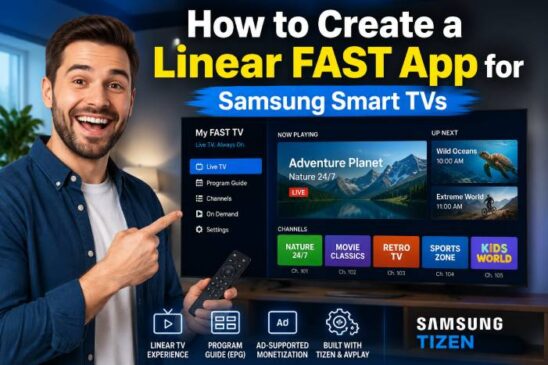
📡 A FAST linear streaming channel
In 2026, Smart TV apps can be monetized through advertising, subscriptions, sponsorships, pay-per-view, branded content, licensing, affiliate partnerships and FAST channels. But success depends on more than publishing an app. You need the right platform strategy, content structure, user experience, monetization model and distribution plan.
Roku reported that it surpassed 90 million streaming households in January 2025, and the company described Roku as the top-selling TV operating system in the United States, Canada and Mexico at that time. Roku’s Q1 2026 shareholder letter also reported 28% year-over-year platform revenue growth, driven by advertising and subscriptions, showing how important platform monetization has become in the connected TV ecosystem.
At the same time, FAST channels continue growing. EMARKETER forecast that FAST users in the United States would reach 131.4 million in 2026, representing 54% of connected TV users. Gracenote, a Nielsen company, also reported strong growth in global FAST channel counts, with about 1,850 active FAST channels tracked globally in its Q3 2025 update.
That combination creates a powerful business signal: Smart TV distribution is not only a technical topic. It is a media, advertising and monetization opportunity.
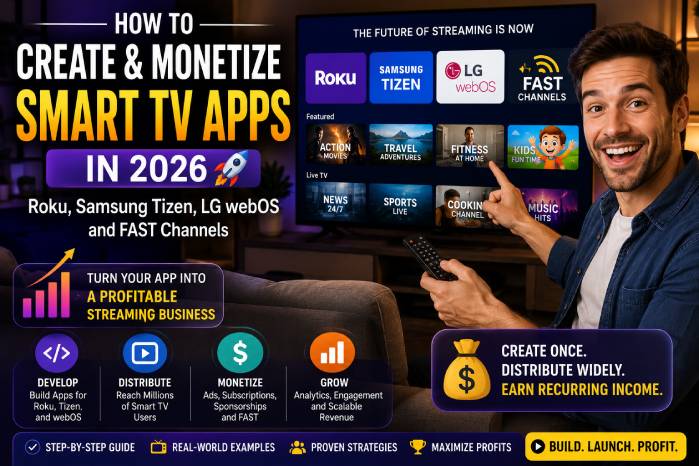
This guide explains how to create and monetize Smart TV apps in 2026, focusing on Roku, Samsung Tizen, LG webOS and FAST channels.
🧠 What Is a Smart TV App?
A Smart TV app is an application designed to run directly on a connected television platform or streaming device.
Unlike a normal website, a TV app is designed for the living room. The user is usually sitting far from the screen, using a remote control, expecting simple navigation, large text, fast playback and a comfortable viewing experience.
A Smart TV app can offer:
🎥 Video on demand
📡 Live streaming
📺 FAST linear channels
🎵 Audio and radio content
🧒 Kids’ programming
🎓 Courses and tutorials
🛍️ Branded entertainment
📋 Playlists and categories
🔎 Search and content discovery
👤 Login and user accounts
💳 Subscription or purchase access
📊 Analytics and ad monetization
The biggest difference between a mobile app and a Smart TV app is behavior.
On mobile, the user taps, scrolls, types and multitasks.
On TV, the user watches, browses slowly, uses directional arrows and expects a simple interface. The TV experience is more passive, more visual and more content-focused.
That means your app must be designed for:
✅ Remote control navigation
✅ Large readable text
✅ Fast content loading
✅ Strong thumbnails
✅ Smooth playback
✅ Simple menus
✅ Clear categories
✅ Minimal typing
✅ Stable streaming
✅ Easy exit and return
The best Smart TV apps are not overloaded. They are clear, fast and easy to use.
📺 Why Smart TV Apps Are a Business Opportunity in 2026
Smart TV apps matter because connected TV has become a major part of modern media consumption.
For businesses, this creates several opportunities:
1. The TV Screen Has High Attention Value 👀
When someone opens a TV app, they are usually prepared to watch. This is different from social media, where attention is fragmented.
A Smart TV app creates a more immersive relationship with content.
That is valuable for:
🎬 Long-form video
📺 Live programming
🎓 Educational series
🙏 Religious content
🏆 Sports and events
🧒 Children’s content
📡 Linear streaming channels
2. Niche Content Can Become a Channel 📡
You no longer need to own a traditional broadcast license to create a TV-like experience. A niche publisher can organize content into an app, a live stream or a FAST-style channel.
Examples:
A local news creator can build a local streaming app.
A church can build a worship and teaching app.
A fitness coach can build a workout app.
A school can build an educational TV app.
A regional producer can build a cultural channel.
A content creator can build a branded video library.
The opportunity is not only technology. It is packaging.
3. Advertising Is Moving Toward Connected TV 💰
Connected TV advertising is attractive because it combines TV-style viewing with digital targeting and measurement.
Roku’s own reporting shows that advertising and subscriptions are key platform growth drivers, with platform revenue growth continuing into 2026. FAST growth also reinforces the shift toward ad-supported streaming models.
For app owners, this means advertising can be a serious monetization model if the app has enough viewing time, content quality and ad inventory.
4. FAST Channels Create a New Distribution Model 🚀
FAST means Free Ad-Supported Streaming Television.
A FAST channel is usually a linear streaming channel that plays scheduled content for free, monetized through ads.
Instead of making viewers choose every video manually, a FAST channel creates a continuous TV-like experience.
This works well for:
📺 Classic shows
🎬 Documentaries
🍳 Cooking content
🏋️ Fitness programs
🎵 Music videos
📰 News clips
⚽ Sports highlights
🙏 Religious programming
🧒 Kids’ content
🌎 Regional content
FAST is powerful because it lowers friction. The viewer opens the channel and watches.
🧩 Main Types of Smart TV Apps You Can Build
Before choosing Roku, Samsung or LG, you need to define what kind of app you want to build.
1. VOD App 🎬
A VOD app is a video-on-demand app. Users choose what they want to watch.
Examples:
Movies
Courses
Sermons
Tutorials
Documentaries
Fitness classes
Interviews
Series episodes
Best for:
📚 Organized libraries
🎓 Educational content
🎬 Premium video collections
👤 Logged-in users
💳 Subscription products
2. Live TV App 📡
A live TV app plays a continuous live stream.
Best for:
Local TV
Events
Church services
News
Sports
Conferences
Music shows
A live app can be simple, but the streaming infrastructure must be stable.
3. FAST Channel App 📺
A FAST channel looks like a traditional TV channel but streams over the internet and is monetized by ads.
Best for:
Large content libraries
Evergreen programming
Niche audiences
Ad-supported strategies
Linear viewing experiences
4. Hybrid App 🔁
A hybrid app combines live TV, VOD and categories.
This is often the best model.
Example structure:
Home
Live Channel
Latest Videos
Series
Categories
Search
Favorites
About
Subscribe or Donate
5. Branded Content App 💼
A company can create a Smart TV app to educate, entertain or build authority.
Examples:
A cooking brand with recipe videos
A real estate company with property tours
A tourism brand with destination videos
A school with educational content
A sports club with training videos
This model may not depend only on ads. The app can support the brand’s larger business.
🛠️ The Main Smart TV Platforms
The three most important platforms for this guide are:
📺 Roku
📺 Samsung Tizen
📺 LG webOS
Each one has a different development stack, publishing process and business logic.
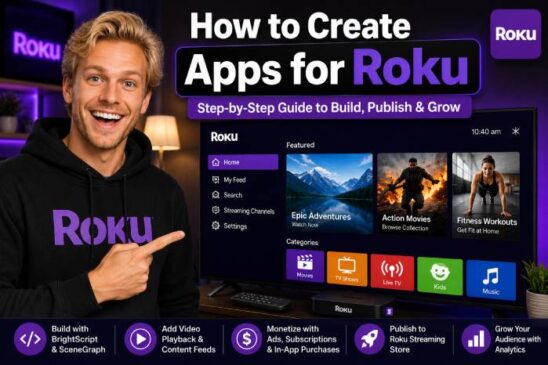
Roku App Development 📺
Roku is one of the most important platforms for Smart TV app development, especially in North America.
Roku apps are commonly built using SceneGraph and BrightScript. Roku’s documentation describes SceneGraph as its XML framework for designing the app UI and BrightScript as the scripting language used to build app behavior.
Roku Technology Stack
A Roku app typically includes:
🧱 SceneGraph XML components
⚙️ BrightScript logic
📄 Manifest file
🖼️ Images and thumbnails
🎥 Video player components
📡 HLS video streams
📊 Analytics integrations
💰 Roku Advertising Framework, when using video ads
A simplified Roku project structure may look like this:
roku-app/
│
├── manifest
├── source/
│   └── main.brs
├── components/
│   ├── HomeScene.xml
│   ├── HomeScene.brs
│   ├── VideoPlayer.xml
│   └── VideoPlayer.brs
├── images/
│   ├── logo.png
│   └── splash.png
└── data/
    └── content.json
Roku Strengths
Roku is attractive because:
✅ It has a large streaming audience
✅ It has strong developer documentation
✅ It is built specifically for TV streaming
✅ It supports video apps well
✅ It has a mature ad ecosystem
✅ It is popular for OTT and niche channels
Roku’s official developer resources include courses, documentation, sample apps and guidance for building apps with SceneGraph.
Roku Monetization
Roku apps can be monetized through:
💰 Video ads
💳 Subscriptions
🎬 Transactional video
📦 Sponsorships
📣 Branded content
🔗 External business funnels
📺 FAST-style content strategies
For video advertising, Roku provides the Roku Advertising Framework, known as RAF. Roku’s documentation explains that RAF enables video ad integration and supports consistent ad experiences inside Roku apps. Roku also states that video ad apps must implement RAF to fulfill and render video advertisements for certification and publication.
That point matters. If your Roku app uses video advertising, monetization is not just a business decision. It is also a technical and certification requirement.
Roku Publishing
Public Roku apps must pass Roku’s certification process before they are published in the Roku Streaming Store. Roku’s app publishing documentation explains that a public app is available for install from the Streaming Store and must be reviewed and certified by Roku.
Before submitting, you should test:
✅ App launch time
✅ Remote navigation
✅ Video playback
✅ Deep linking, if required
✅ Ad behavior
✅ Error handling
✅ Screensaver behavior
✅ Back button behavior
✅ Content metadata
✅ Image loading
✅ Privacy and compliance
The biggest mistake is treating certification as the final step. Certification should guide your development from day one.
Samsung Tizen App Development 📺
Samsung Smart TVs run on Tizen, and Samsung provides tools and documentation for developing TV web applications.
Samsung’s Smart TV developer documentation describes Tizen TV apps as web applications and provides a quick-start guide for working with the Samsung TV SDK, TV web app structure, APIs and testing. Tizen Studio is Samsung’s official IDE for developing Tizen web and native applications, and it includes an IDE, emulator, toolchain, sample code and documentation.
Samsung Tizen Technology Stack
A Samsung TV app is usually built with web technologies:
🌐 HTML
🎨 CSS
⚙️ JavaScript
📺 Tizen APIs
🎥 HTML5 video player
📦 Tizen package structure
🧪 Tizen Studio testing tools
A simplified Tizen app structure may look like this:
samsung-tizen-app/
│
├── config.xml
├── index.html
├── css/
│   └── style.css
├── js/
│   ├── app.js
│   └── player.js
├── images/
│   ├── logo.png
│   └── background.jpg
└── videos/
Samsung Tizen Strengths
Samsung is attractive because:
✅ Samsung TVs have global reach
✅ Web developers can adapt existing skills
✅ HTML, CSS and JavaScript are familiar
✅ Apps can support rich UI experiences
✅ Tizen works well for OTT video apps
✅ Samsung’s TV ecosystem is commercially important
For developers who already know web development, Samsung Tizen may feel more natural than Roku because it uses standard web technologies.
Samsung Publishing
Samsung uses the Samsung Apps TV Seller Office for TV app certification and management. Samsung describes Seller Office as the official system for Smart TV application certification and management.
Samsung’s certification process can be strict. You need to provide test information, ensure content access is available for reviewers and make sure app features can be fully tested. Samsung’s certification FAQ notes that if a feature cannot be tested, it can cause certification failure with critical defects.
Before submitting to Samsung, test:
✅ Remote control navigation
✅ Focus management
✅ Video playback
✅ App performance
✅ Screen resolutions
✅ Geo-restricted content access
✅ Login flow
✅ Subscription or payment behavior
✅ Error states
✅ Network failure behavior
Samsung apps should feel like TV apps, not websites stretched onto a big screen.
LG webOS App Development 📺
LG Smart TVs use webOS, another major Smart TV operating system.
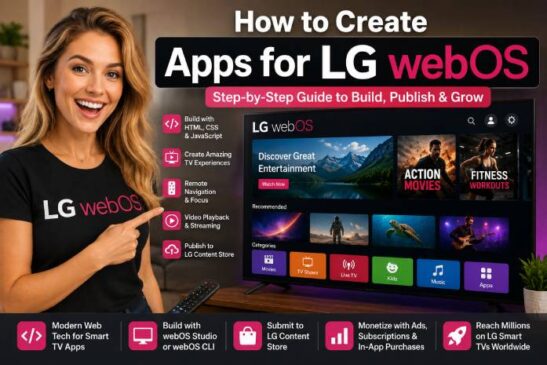
LG’s developer portal provides tools such as webOS Studio and webOS TV Simulator. LG says webOS TV Simulator lets developers test and debug apps and services without a real TV device and works with webOS CLI and webOS Studio. LG’s webOS Studio guide explains how to set up and use the webOS Studio extension in VS Code.
LG webOS Technology Stack
LG webOS apps are also commonly web-based:
🌐 HTML
🎨 CSS
⚙️ JavaScript
📺 webOS APIs
🎥 HTML5 video
📦 appinfo.json
🧪 webOS Studio
🧰 webOS CLI
📺 webOS TV Simulator
A simplified LG webOS app may look like this:
lg-webos-app/
│
├── appinfo.json
├── index.html
├── css/
│   └── main.css
├── js/
│   ├── app.js
│   └── player.js
├── images/
│   └── icon.png
└── assets/
LG’s webOS API documentation explains that webOSTV.js provides TV-specific methods and is recommended over older webOS.js methods for TV-supported features.
LG webOS Strengths
LG webOS is attractive because:
✅ It supports web-based development
✅ It has strong TV manufacturer presence
✅ It works well for video streaming apps
✅ It offers simulator and VS Code tooling
✅ It is accessible for web developers
✅ It can complement Samsung and Roku distribution
If you already build HTML5 video experiences, LG webOS can be a logical extension.
FAST Channels: The Big Monetization Opportunity 📡
FAST channels are one of the most important Smart TV business models in 2026.
FAST stands for:
Free Ad-Supported Streaming Television
The viewer watches for free. The channel earns money through advertising.
A FAST channel usually has:
📺 Linear schedule
🎬 Continuous programming
📡 HLS stream
📊 Ad markers
💰 Ad insertion
🧾 Metadata
🖼️ Logos and artwork
📅 Programming grid
📈 Analytics
FAST channels work best when you have enough content to create a TV-like flow.
FAST vs VOD
VOD asks:
“What do you want to watch?”
FAST says:
“Here is what is playing now.”
That is why FAST can work well for passive viewing. The user does not need to choose every video.
Good FAST Channel Niches
Strong FAST categories include:
📰 News and commentary
🎬 Classic movies
📚 Documentaries
🍳 Food and cooking
🏋️ Fitness
🎵 Music
⚽ Sports highlights
🙏 Faith-based content
🧒 Kids programming
🌎 Regional and cultural content
🏠 Home and lifestyle
🚗 Automotive content
🎮 Gaming and esports
FAST Monetization
FAST monetization usually depends on:
💰 Ad fill rate
👀 Watch time
📊 Audience size
📺 Content quality
📡 Distribution partners
🧾 Metadata quality
📈 Ad demand
🔁 Repeat viewing
A FAST channel with poor scheduling, weak metadata and low retention will struggle. A well-programmed channel with a clear niche can become a valuable asset.
How to Choose the Right Platform Strategy 🧭
You do not need to launch everywhere at once.
A smarter approach is to choose the platform based on your audience, content and budget.
Choose Roku First If:
✅ You want to target North America
✅ You are focused on streaming video
✅ You want a mature TV app ecosystem
✅ You are comfortable learning BrightScript
✅ You want to build a serious OTT app
✅ You plan to monetize with video ads
Choose Samsung Tizen First If:
✅ You already know HTML, CSS and JavaScript
✅ You want access to Samsung Smart TV users
✅ Your app needs a web-style interface
✅ You are building for global TV distribution
✅ You can handle certification requirements
Choose LG webOS First If:
✅ You want another major TV manufacturer platform
✅ You already have a web-based app architecture
✅ You want to expand beyond Samsung
✅ You want to use VS Code-based tooling
✅ You are building a cross-TV strategy
Choose FAST First If:
✅ You have a content library
✅ Your content works in linear format
✅ You want ad-supported monetization
✅ You can program a schedule
✅ You want passive viewing
✅ You can manage streaming infrastructure
For many businesses, the best roadmap is:
- Start with one platform.
- Validate content and user experience.
- Improve streaming and analytics.
- Add monetization.
- Expand to more platforms.
- Build FAST distribution when content volume supports it.
Step-by-Step Roadmap to Create a Smart TV App 🏗️
Step 1: Define the App Concept 🎯
Start with one clear sentence:
“This app helps [audience] watch [type of content] on their Smart TV.”
Examples:
“This app helps fitness beginners watch 20-minute home workouts on Roku.”
“This app helps church members watch sermons, live services and Bible studies on Smart TVs.”
“This app helps local viewers watch regional news and interviews on connected TVs.”
“This app helps students watch programming tutorials from the living room.”
If you cannot explain the app simply, the user will not understand it either.
Step 2: Choose the Content Model 🎬
Decide whether your app will be:
VOD
Live
FAST
Hybrid
Subscription
Free with ads
Premium library
Branded content channel
This decision affects development, hosting, monetization and publishing.
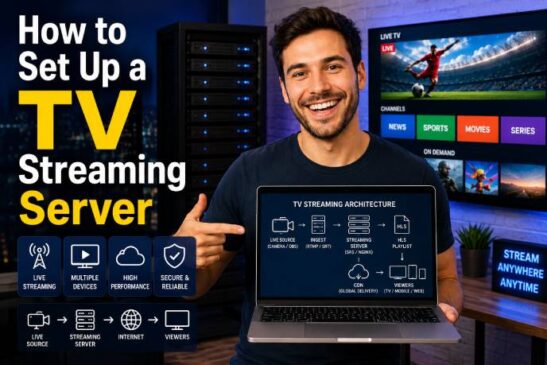
Step 3: Prepare Your Video Infrastructure 📡
Most Smart TV apps need reliable video delivery.
You will likely need:
🎥 HLS streams
☁️ Video hosting
📦 Encoding
📊 CDN delivery
🖼️ Thumbnails
🧾 Metadata
📁 Content API
🔐 DRM, if premium content requires it
📈 Analytics
💰 Ad insertion, if monetized by ads
The app is only the front-end. The real product includes content, infrastructure and operations.
Step 4: Design the TV User Experience 📺
Your app should include:
🏠 Home screen
📂 Categories
🎬 Video details page
▶️ Player screen
🔎 Search, if needed
📡 Live section
⭐ Favorites, if useful
⚙️ Settings
ℹ️ About or support page
Use large text, simple navigation and strong images.
Avoid:
❌ Tiny fonts
❌ Too many menu levels
❌ Long text blocks
❌ Complex forms
❌ Poor contrast
❌ Slow loading artwork
❌ Mobile-style layouts
Step 5: Build the MVP 🧪
Your first version should be simple.
Minimum viable Smart TV app:
✅ Splash screen
✅ Home screen
✅ Content list
✅ Video detail page
✅ Video playback
✅ Basic categories
✅ Error handling
✅ Remote navigation
✅ Privacy/support information
Do not start with every feature. Start with a stable viewing experience.
Step 6: Test on Real Devices 📺
Simulators are useful, but real TVs reveal real problems.
Test:
Remote navigation
Playback stability
Image scaling
Audio sync
Loading speed
Exit behavior
Back button
Network failure
Older device performance
Different screen sizes
A Smart TV app that works on your computer may still feel bad on a TV.
Step 7: Add Monetization 💰
Only add monetization after the core experience works.
Monetization options include:
Advertising
Subscriptions
Sponsorship
Donations
Pay-per-view
Bundles
Affiliate offers
Lead generation
Branded content
FAST ad inventory
The monetization model should match the audience.
Step 8: Prepare for Certification ✅
Every platform has rules.
Prepare:
App metadata
Icons
Screenshots
Descriptions
Privacy policy
Support contact
Test credentials
Content access
Ad behavior
Playback stability
Remote navigation
Legal rights to content
Certification is not only technical. It is also about trust, quality and compliance.
Step 9: Publish and Promote 📣
Publishing is not the end.
Promote your app through:
Website
Email list
YouTube
Instagram
Facebook
Paid ads
Influencers
QR codes
Existing audience
Cross-promotion
Partner channels
A Smart TV app without distribution is like a store with no street.
Step 10: Measure and Improve 📊
Track:
Installs
Active users
Watch time
Session length
Video starts
Completion rate
Ad impressions
Subscription conversions
Churn
Crashes
Search terms
Most watched categories
Data tells you what to improve.
Smart TV App Monetization Models 💰
1. AVOD Advertising 📺
AVOD means ad-supported video on demand.
The user watches content for free, and the app earns money from ads.
Best for:
Large free libraries
High watch time
Entertainment content
News clips
Lifestyle content
Kids content
Niche communities
You need enough traffic and viewing time to make ads meaningful.
2. FAST Advertising 📡
FAST monetization is similar, but the content is linear.
Best for:
Scheduled programming
Evergreen libraries
Passive viewing
TV-like channels
Ad-supported distribution
FAST requires stronger programming strategy than basic VOD.
3. SVOD Subscriptions 💳
SVOD means subscription video on demand.
The user pays monthly or yearly.
Best for:
Premium education
Fitness programs
Exclusive content
Niche expertise
Religious libraries
Professional training
Specialized entertainment
The challenge is retention. People must feel the app is worth paying for every month.
4. TVOD and Pay-Per-View 🎟️
TVOD means transactional video on demand.
The user pays for one video, event or package.
Best for:
Live events
Sports matches
Concerts
Workshops
Conferences
Premium films
Special classes
5. Sponsorships 🤝
A niche Smart TV app can sell sponsorships directly.
Example:
A local news app sponsored by local businesses.
A fitness app sponsored by health brands.
A church app sponsored by community partners.
A sports app sponsored by regional companies.
Sponsorship works well when the audience is specific and valuable.
6. Branded Content 💼
A business can use a TV app to promote its brand indirectly.
Examples:
A tourism company creates destination videos.
A real estate company creates property and neighborhood tours.
A cooking brand creates recipe shows.
A school creates educational programming.
The app may not earn directly from ads. It supports the larger business.
7. Lead Generation 📩
Some Smart TV apps generate leads.
Example:
A real estate app shows properties and sends viewers to a website or QR code.
A course app shows free lessons and invites users to enroll.
A fitness app offers free workouts and directs users to paid coaching.
This works best when TV content builds trust and another channel closes the sale.
Common Mistakes in Smart TV App Development ⚠️
Mistake 1: Building Before Defining the Business Model
Do not build an app just because you can.
First define:
Who will watch?
Why will they return?
How will the app make money?
What content will keep it alive?
Which platform matters most?
Mistake 2: Copying Mobile Design
TV is not mobile.
Large screens need simple design, clear focus states and remote-friendly navigation.
Mistake 3: Weak Metadata
Bad titles, descriptions and thumbnails reduce engagement.
Your content catalog should be clean, searchable and visually attractive.
Mistake 4: Poor Streaming Quality
Nothing kills a TV app faster than buffering.
Use proper encoding, CDN delivery and tested HLS streams.
Mistake 5: Ignoring Certification Rules
Each platform has requirements.
Roku, Samsung and LG all expect stable, compliant apps. Build with certification in mind from the beginning.
Mistake 6: No Promotion Plan
Publishing does not guarantee viewers.
You need a marketing plan.
Mistake 7: Monetizing Too Early
Ads, subscriptions and paywalls do not fix weak content.
First build value. Then monetize.
Smart TV App Launch Checklist ✅
Use this before launch:
✅ App concept is clear
✅ Target audience is defined
✅ Content rights are secured
✅ Video streams are stable
✅ HLS playback tested
✅ Remote navigation works
✅ UI is readable from the sofa
✅ App loads quickly
✅ Images are optimized
✅ Metadata is complete
✅ Privacy policy exists
✅ Support contact exists
✅ App icons are correct
✅ Screenshots are prepared
✅ Ads are tested, if used
✅ Subscriptions are tested, if used
✅ Error messages are friendly
✅ Real device testing completed
✅ Certification requirements reviewed
✅ Promotion plan is ready
✅ Analytics are installed
A professional launch is not luck. It is preparation.
Example Smart TV App Business Models 🧩
1. Local News Streaming App 📰
Content:
Daily news
Interviews
Weather
Local events
Community stories
Monetization:
Local sponsors
Pre-roll ads
Banner sponsorships
Branded segments
Best platforms:
Roku
Samsung
LG
FAST distribution later
2. Fitness TV App 🏋️
Content:
Workout videos
Beginner programs
Challenges
Nutrition tips
Live classes
Monetization:
Subscription
Sponsorship
Premium courses
Affiliate products
Best platforms:
Samsung
LG
Roku
Mobile companion app later
3. Church and Ministry App 🙏
Content:
Live services
Sermons
Bible studies
Music
Events
Monetization:
Donations
Community support
Premium study materials
Partner sponsorships
Best platforms:
Roku
Samsung
LG
4. Educational App 🎓
Content:
Courses
Tutorials
Lessons
Workshops
Student playlists
Monetization:
Subscription
Course sales
Institutional licensing
Lead generation
Best platforms:
Samsung
LG
Roku
5. FAST Documentary Channel 🎬
Content:
Documentaries
Interviews
Series
Evergreen programming
Monetization:
FAST ads
Sponsorship
Distribution partnerships
Best platforms:
FAST platforms
Roku app
Samsung/LG expansion
FAQ: Smart TV Apps in 2026 ❓
What is the best platform to start with?
For many developers targeting the United States, Roku is a strong first platform because of its large streaming footprint and mature app ecosystem. For developers with strong web skills, Samsung Tizen and LG webOS may feel more familiar because they use web technologies.
Do I need to build apps for Roku, Samsung and LG at the same time?
No. Start with one platform, validate the content and business model, then expand.
What language is used for Roku apps?
Roku apps commonly use SceneGraph and BrightScript. SceneGraph handles UI structure, while BrightScript handles app logic.
What language is used for Samsung Tizen TV apps?
Samsung Tizen TV apps are commonly built as web applications using HTML, CSS and JavaScript with Tizen tools and APIs. Samsung’s quick-start documentation introduces TV web app development and testing through the Samsung TV SDK.
What language is used for LG webOS TV apps?
LG webOS TV apps are commonly built using web technologies such as HTML, CSS and JavaScript, with webOS tools, APIs and webOSTV.js.
Can a small creator launch a Smart TV app?
Yes. A small creator can launch a niche app if they have clear content, proper rights, stable streaming infrastructure and a realistic monetization plan.
Can Smart TV apps make money?
Yes, but revenue depends on content quality, audience size, watch time, monetization model, ad demand, subscriptions, sponsorships and promotion. The app itself is not enough.
What is a FAST channel?
A FAST channel is a free ad-supported streaming television channel. It usually plays scheduled linear content and earns revenue from ads.
Is FAST better than VOD?
Not always. FAST is better for passive linear viewing and large content libraries. VOD is better when users want to choose specific content.
Do I need a CDN?
For serious streaming, yes. A CDN helps deliver video reliably to viewers across different locations.
Smart TV Apps Are a Media Business, Not Just a Development Project 🏁
Creating a Smart TV app in 2026 is not only about writing code.
It is about building a complete streaming experience.
You need:
📺 A clear app concept
🎬 Strong content
🧭 Good platform strategy
🛠️ Reliable development
📡 Stable video infrastructure
💰 Smart monetization
✅ Certification readiness
📣 Promotion
📊 Analytics
🔁 Continuous improvement
Roku, Samsung Tizen, LG webOS and FAST channels each offer different opportunities. Roku is powerful for OTT streaming apps and has a mature developer ecosystem. Samsung and LG are essential for reaching major Smart TV audiences through web-based app development. FAST channels create a strong ad-supported model for content owners who can program a continuous viewing experience.
The biggest mistake is thinking the app alone creates the business.
It does not.
The business comes from the combination of content, audience, distribution, monetization and retention.
A simple Smart TV app with a focused audience and strong content can be more valuable than a complex app with no clear strategy.
Start small.
Choose one platform.
Build a stable MVP.
Test on real devices.
Publish professionally.
Promote consistently.
Measure everything.
Improve based on data.
That is how a Smart TV app becomes more than a technical project.
That is how it becomes a digital media asset.