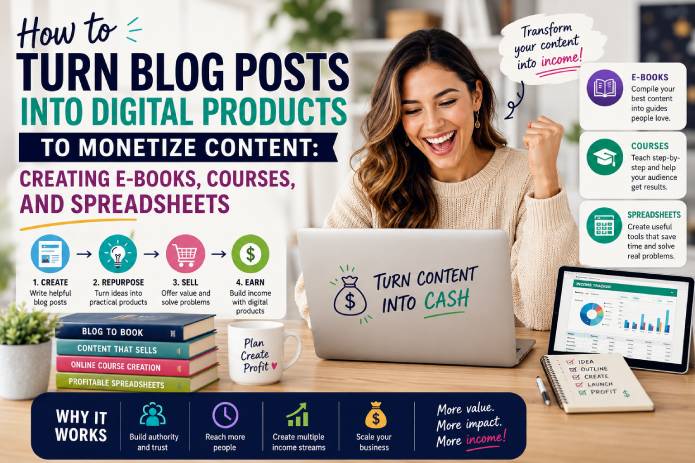
Most bloggers make the same mistake: they publish valuable content for free, wait for traffic, hope for ad revenue, and never transform that knowledge into something people can actually buy.
A blog post can attract visitors.
A digital product can convert visitors into customers.
That is the major difference.
Your blog is not only a place to publish articles. It can become a digital asset, a sales engine, a product laboratory, and a long-term monetization platform. Every strong article you publish can become the foundation for an e‑book, an online course, a spreadsheet, a template, a checklist, a workbook, a toolkit, a paid report, or even a full digital product ecosystem.
The best part is that you do not need to start from zero.
If you already have blog posts, you already have raw material. You already have topics, explanations, examples, keywords, audience questions, and content structure. The opportunity is to reorganize that content into a more valuable format.
People do not usually pay for information alone. They pay for clarity, structure, speed, convenience, transformation, and practical implementation.
A free article can explain an idea.
A paid digital product helps the reader apply it.
That is why turning blog posts into digital products is one of the smartest monetization strategies for content creators, bloggers, consultants, educators, developers, marketers, and niche website owners.
In this guide, you will learn how to transform blog content into profitable digital products, especially e‑books, online courses, spreadsheets, templates, and practical resources.
🧠 Why Blog Posts Are Perfect Raw Material for Digital Products
A blog post is often the first version of a future product.
When you publish an article, you are testing a topic in the real world. You can observe whether people search for it, click on it, read it, comment on it, share it, save it, or ask follow-up questions.
This is extremely valuable.
Instead of guessing what product people want, your blog can show you what your audience already cares about.
For example, imagine you have a blog post called:
How to Create a Roku TV App
If that article receives consistent traffic, it may become:
📘 An e‑book: The Complete Roku App Development Guide
🎥 A course: Build Your First Roku Channel Step by Step
📊 A spreadsheet: Roku App Monetization Calculator
🧩 A template pack: Ready-to-Use Roku Project Structure
✅ A checklist: Roku App Publishing Checklist
The article is only the beginning. The product is the next step.
A blog post usually gives the reader knowledge. A digital product gives the reader a path.
That path can include:
✅ Step-by-step instructions
✅ Ready-made templates
✅ Practical examples
✅ Exercises
✅ Calculators
✅ Frameworks
✅ Checklists
✅ Case studies
✅ Downloadable files
✅ Implementation support
This is why digital products often sell better when they are built from proven content. You are not creating in the dark. You are expanding something that already has demand.
💼 What Is a Digital Product?
A digital product is any product that can be created, sold, and delivered online without physical inventory.
Examples include:
📘 E‑books
🎥 Online courses
📊 Spreadsheets
🧩 Templates
✅ Checklists
📝 Workbooks
📄 Reports
💻 Code packs
🎨 Design assets
📚 Guides
📦 Toolkits
🧠 Frameworks
📂 Swipe files
📑 Notion templates
📈 Calculators
🎧 Audio lessons
🧾 Planners
Digital products are powerful because they can be created once and sold many times. Unlike consulting or freelance work, you do not need to deliver the same service manually to every customer.
That does not mean digital products are effortless. You still need quality, positioning, marketing, trust, and customer support. But the business model has strong leverage.
A good digital product solves a specific problem for a specific audience.
The more specific the problem, the easier it becomes to sell.
Bad product idea:
Make Money Online
Better product idea:
A 30-Day Spreadsheet System to Track Blog Income, Affiliate Links, and Content ROI
Bad product idea:
Learn AI
Better product idea:
AI Prompt Templates for Bloggers Who Want to Create SEO Articles Faster
Specificity sells.
🎯 The Core Strategy: Turn Free Content into Paid Implementation
The biggest difference between a blog post and a digital product is the level of implementation.
A blog post usually answers:
“What is this?”
“Why does it matter?”
“How does it work?”
“What should I know?”
A digital product answers:
“What exactly should I do?”
“What steps should I follow?”
“What template should I use?”
“What mistakes should I avoid?”
“How do I get the result faster?”
This is the key monetization principle:
Free content teaches. Paid products help people execute.
For example:
Free blog post:
How to Plan Monthly Content for Your Blog
Paid product:
📊 A content calendar spreadsheet
✅ A publishing checklist
🧩 100 blog post title templates
📘 A content strategy workbook
🎥 Video lessons explaining how to use everything
The free article attracts the audience. The paid product gives them a shortcut.
That is exactly what people pay for.
They pay to save time.
They pay to avoid mistakes.
They pay to feel organized.
They pay for structure.
They pay for confidence.
They pay for a clear next step.
🔎 Step 1: Identify Blog Posts with Product Potential
Not every blog post should become a product.
Some articles are informational, simple, or too broad. Others reveal clear commercial intent.
The best blog posts to transform into digital products usually have one or more of these signs:
🔥 They receive consistent organic traffic
💬 Readers ask questions about implementation
📌 The topic solves a practical problem
💰 The audience has a financial reason to solve it
🧩 The process can be organized into steps
📊 The topic needs calculation, planning, or tracking
🎥 The explanation would benefit from video
✅ The reader needs a checklist or template
📘 The article is part of a larger content cluster
Look inside your blog analytics and search console data. Find articles that already attract people. Then ask:
Can this become a guide?
Can this become a workbook?
Can this become a course?
Can this become a spreadsheet?
Can this become a toolkit?
Can this become a template pack?
Can this help someone make money, save money, save time, or avoid mistakes?
If the answer is yes, you may have a product opportunity.
📌 Blog Post to Product Examples
Here are practical examples of how blog posts can become digital products.
Example 1: Finance Blog
Blog post:
How to Organize Your Monthly Budget
Digital products:
📊 Budget spreadsheet
📘 Personal finance e‑book
✅ Debt payoff checklist
🧾 Expense tracker
🎥 Mini-course on budgeting
Example 2: Food Blog
Blog post:
How to Start Selling Homemade Cakes
Digital products:
📘 Cake business starter guide
📊 Pricing calculator
🧾 Order control spreadsheet
📋 Ingredient cost template
🎥 Course on home bakery business
Example 3: Technology Blog
Blog post:
How to Build a Smart TV App
Digital products:
💻 Source code template
📘 Technical e‑book
✅ Publishing checklist
🎥 Development course
📊 Monetization calculator
Example 4: Marketing Blog
Blog post:
How to Create a Content Strategy
Digital products:
📊 Editorial calendar
🧩 SEO title templates
📘 Content marketing guide
✅ Blog audit checklist
🎥 Content strategy course
Example 5: AI Blog
Blog post:
How to Use AI for Productivity
Digital products:
🧠 Prompt pack
📘 AI productivity e‑book
📊 Automation planning spreadsheet
🧩 Workflow templates
🎥 AI tools course
The pattern is always the same:
Article → Structure → Product → Offer → Sales page → Promotion.
📘 Turning Blog Posts into E‑books
E‑books are one of the easiest digital products to create from blog content.
An e‑book works well when your blog posts cover a topic that needs depth, organization, and a complete learning path.
A single article may become one chapter. A group of related articles may become the entire book.
For example, if you have articles about:
How to start a blog
How to choose a niche
How to write SEO articles
How to monetize with affiliates
How to create digital products
How to build an email list
You can combine them into an e‑book called:
The Complete Blog Monetization Guide
But you should not simply copy and paste posts into a PDF. That creates a weak product.
A good e‑book needs transformation.
You should add:
✅ A clear promise
✅ A logical chapter structure
✅ New examples
✅ Action steps
✅ Checklists
✅ Case studies
✅ Worksheets
✅ Better transitions
✅ Updated explanations
✅ A strong introduction and conclusion
The reader should feel that the e‑book is more complete, organized, and useful than browsing free articles one by one.
🧱 How to Structure an E‑book from Blog Posts
A strong e‑book usually follows a clear journey.
Here is a simple structure:
1. Introduction
Explain the problem, the promise, who the book is for, and what the reader will learn.
2. Foundation Chapters
Teach the basic concepts the reader needs to understand before taking action.
3. Step-by-Step Chapters
Break the process into practical steps.
4. Examples and Case Studies
Show how the concepts apply in real situations.
5. Worksheets and Exercises
Help the reader apply what they learned.
6. Checklists
Make execution easier.
7. Resources
Include tools, templates, links, or recommended next steps.
8. Conclusion
Reinforce the transformation and invite the reader to take action.
For example, an e‑book based on blog monetization could look like this:
📘 How to Monetize Your Blog with Digital Products
Chapter 1: Why Blog Traffic Alone Is Not Enough
Chapter 2: How to Find Product Ideas Inside Your Content
Chapter 3: How to Turn Articles into E‑books
Chapter 4: How to Create Online Courses from Blog Posts
Chapter 5: How to Build Spreadsheets and Templates
Chapter 6: How to Price Your Digital Products
Chapter 7: How to Create a Sales Page
Chapter 8: How to Promote Products Inside Your Blog
Chapter 9: How to Build a Simple Product Funnel
Chapter 10: Launch Checklist
That is much more valuable than a random collection of articles.
✍️ How to Make an E‑book Feel Premium
People judge digital products by presentation and usefulness.
An e‑book should not look like a plain document exported in a hurry. It needs to feel organized and professional.
To improve perceived value, include:
🎨 Professional cover
📑 Table of contents
🧭 Clear chapter titles
💡 Highlight boxes
✅ Action steps
📊 Simple diagrams
📝 Worksheets
📌 Summary sections
🔗 Resource links
📦 Bonus templates
You can also add “premium elements” such as:
Quick Start Guide
A short section for readers who want to begin immediately.
Mistakes to Avoid
People love knowing what not to do.
Implementation Plan
A 7‑day, 14-day, or 30-day action plan.
Templates
Ready-to-use examples make the product more practical.
Checklists
Checklists increase usefulness and completion.
A strong e‑book is not just information. It is a guided experience.
🎥 Turning Blog Posts into Online Courses
Courses are ideal when the topic needs demonstration, explanation, or transformation over time.
A course can be built from blog posts, but it should not feel like someone reading articles out loud.
A course must be more practical, visual, and sequential.
A blog post teaches.
A course guides.
Courses work well for topics such as:
💻 Software development
📣 Marketing
🤖 AI tools
📊 Excel and spreadsheets
🎨 Design
💼 Business building
✍️ Writing
📱 App development
📈 Trading education
🧠 Productivity systems
If your content explains a process that people want to follow step by step, it may be a good course topic.
🧭 How to Transform Blog Posts into Course Modules
Start by grouping related blog posts into a learning path.
Example blog posts:
How to choose a niche
How to validate an idea
How to write SEO content
How to create a lead magnet
How to create an e‑book
How to sell with email
How to build a sales page
Course structure:
🎥 Module 1: Foundation
What digital products are and how monetization works.
🎥 Module 2: Product Idea
How to find profitable ideas inside your blog.
🎥 Module 3: Product Creation
How to create e‑books, courses, spreadsheets, and templates.
🎥 Module 4: Sales System
How to create offers, pricing, sales pages, and checkout.
🎥 Module 5: Promotion
How to promote products using blog posts, SEO, email, and social media.
🎥 Module 6: Scaling
How to improve, bundle, upsell, and build a product ecosystem.
Each module should have lessons.
Each lesson should solve one small part of the bigger problem.
🎬 Course Lesson Format
A good lesson does not need to be long.
In fact, shorter lessons often work better.
A simple course lesson can follow this structure:
- What you will learn
- Why it matters
- Step-by-step explanation
- Example
- Action task
- Downloadable resource
Example lesson:
Lesson: How to Choose the First Blog Post to Turn into a Product
What you will learn: How to identify articles with product potential.
Why it matters: Choosing the wrong topic wastes time.
Steps: Analyze traffic, search intent, reader questions, and monetization potential.
Example: A blog post about “budget planning” becomes a spreadsheet.
Action task: Choose three articles from your blog and score them.
Downloadable resource: Product Idea Scoring Sheet.
This lesson format keeps the course practical.
📊 Turning Blog Posts into Spreadsheets
Spreadsheets are one of the most underrated digital products.
They are practical, easy to deliver, and often easier to sell than general information products because they help the buyer do something immediately.
A spreadsheet can help people:
📊 Calculate
📅 Plan
✅ Track
📈 Analyze
💰 Price
🧾 Organize
📋 Compare
🎯 Decide
🔁 Repeat a process
Spreadsheets work especially well when your blog post includes numbers, planning, tracking, budgeting, or decision-making.
Examples:
Blog post:
How to Price a Digital Product
Spreadsheet:
📊 Digital Product Pricing Calculator
Blog post:
How to Plan Blog Content
Spreadsheet:
📅 SEO Content Calendar
Blog post:
How to Track Affiliate Income
Spreadsheet:
💰 Affiliate Revenue Tracker
Blog post:
How to Start a Small Business
Spreadsheet:
🧾 Startup Cost Calculator
Blog post:
How to Manage Online Course Students
Spreadsheet:
🎓 Student Progress Tracker
A spreadsheet is valuable because it turns advice into action.
🧮 Spreadsheet Product Ideas from Blog Content
Here are digital spreadsheet ideas that bloggers can create:
📊 Blog Income Tracker
Track ad revenue, affiliate income, product sales, expenses, and profit.
📅 Content Calendar Spreadsheet
Plan posts, keywords, status, publish dates, categories, and internal links.
💰 Digital Product Pricing Calculator
Calculate costs, profit margin, discounts, taxes, and revenue scenarios.
📈 SEO Performance Tracker
Track impressions, clicks, CTR, position, updates, and ranking changes.
🧾 Freelance Project Budget Sheet
Estimate time, price, profit, scope, and delivery dates.
🎓 Course Launch Planner
Organize modules, lessons, assets, emails, launch dates, and sales goals.
📦 Product Bundle Calculator
Compare individual product prices with bundle pricing and upsell strategies.
🛒 E‑commerce Profit Calculator
Calculate product cost, shipping, platform fees, taxes, ads, and net profit.
🧠 AI Prompt Library Spreadsheet
Organize prompts by use case, tool, output type, and performance.
💼 Business KPI Dashboard
Track revenue, expenses, leads, conversion rate, retention, and growth.
A spreadsheet can be sold alone or as a bonus inside an e‑book or course.
🧩 Turning Blog Posts into Templates and Toolkits
Templates are another powerful form of digital product.
A template gives the buyer a ready-made structure they can customize.
Examples:
📝 Blog post templates
📧 Email templates
📄 Proposal templates
📊 Spreadsheet templates
📋 Checklist templates
🎨 Canva templates
🧠 AI prompt templates
📑 Sales page templates
📅 Content calendar templates
💼 Business plan templates
A toolkit combines several resources into one package.
For example:
📦 Blog Monetization Toolkit
Includes:
📘 Mini e‑book
📊 Blog income tracker
📅 Content calendar
✅ Launch checklist
🧩 Sales page template
🧠 AI prompt pack
📧 Email sequence templates
Toolkits often have a higher perceived value than a single PDF because they feel more practical and complete.
The customer sees not just information, but a complete system.
💡 How to Choose the Right Product Format
Different topics need different product formats.
Use this simple decision framework:
Choose an e‑book when:
📘 The topic needs deep explanation
📘 The reader wants a complete guide
📘 You have many related articles
📘 The product is educational
📘 The buyer wants to understand a subject
Example:
Complete Guide to Monetizing a Blog
Choose a course when:
🎥 The topic needs demonstration
🎥 The process is step-by-step
🎥 The learner benefits from video
🎥 The transformation takes time
🎥 The perceived value supports a higher price
Example:
Build and Launch Your First Digital Product
Choose a spreadsheet when:
📊 The reader needs to calculate, track, or organize
📊 The topic involves numbers or planning
📊 The buyer wants an immediate tool
📊 The product can save time quickly
Example:
Blog Income and Product Pricing Calculator
Choose templates when:
🧩 The reader needs examples
🧩 The task is repetitive
🧩 The buyer wants a shortcut
🧩 The result can be customized
Example:
50 SEO Blog Post Templates
Choose a toolkit when:
📦 The topic has multiple steps
📦 You can combine several resources
📦 You want higher perceived value
📦 The buyer needs a complete implementation system
Example:
Digital Product Launch Toolkit for Bloggers
The best product format is the one that helps the customer get the result faster.
🏗️ The Blog-to-Product Framework
Here is a simple framework you can use.
Step 1: Find a proven article 🔎
Choose an article that already has traffic, engagement, or strong commercial potential.
Step 2: Define the transformation 🎯
What result does the reader want?
Examples:
Save money
Make money
Learn a skill
Build something
Organize a process
Avoid mistakes
Launch a project
Improve productivity
Step 3: Choose the product format 📦
E‑book, course, spreadsheet, template, checklist, workbook, or toolkit.
Step 4: Add implementation value 🧩
Do not just repackage the article. Add worksheets, examples, templates, calculators, checklists, and action steps.
Step 5: Create the product 💻
Design the PDF, record lessons, build the spreadsheet, or prepare the templates.
Step 6: Build the sales page 🛒
Explain the problem, promise, benefits, contents, bonuses, price, and guarantee.
Step 7: Promote inside the blog 📣
Add product links to related articles, sidebars, pop-ups, banners, email forms, and content upgrades.
Step 8: Improve with feedback 🔁
Use customer questions and sales data to improve the product.
This process can be repeated many times.
One blog can become a complete digital product business.
💰 Pricing Digital Products Created from Blog Posts
Pricing depends on the format, value, audience, depth, and outcome.
Here are general pricing ranges:
📘 Simple e‑book: $9 to $29
📘 Premium e‑book: $29 to $99
📊 Spreadsheet: $9 to $49
🧩 Template pack: $19 to $99
🎥 Mini-course: $29 to $149
🎥 Complete course: $149 to $997
📦 Toolkit: $49 to $297
The more direct the business value, the higher the price can be.
A general e‑book about productivity may sell for a low price.
A spreadsheet that helps a business calculate pricing and profit may justify a higher price.
A course that teaches a profitable skill can be priced higher than a simple PDF.
Do not price only based on length.
Price based on:
💰 Value of the result
⏱️ Time saved
📈 Revenue potential
🧠 Expertise required
📦 Number of resources included
🎯 Specificity of the audience
🔥 Pain level of the problem
A 10-page spreadsheet that saves someone five hours per week may be more valuable than a 200-page e‑book that feels generic.
🛒 How to Sell Digital Products from Your Blog
Once the product is ready, you need a simple sales system.
The easiest version includes:
- Blog post with traffic
- Product mention inside the article
- Sales page
- Checkout page
- Digital delivery
- Follow-up email
For example, inside an article about content planning, you can add:
Want to organize your blog faster? Download the Content Calendar Spreadsheet and plan 90 days of posts in one afternoon.
This is powerful because the product appears at the exact moment the reader is interested in the topic.
That is contextual selling.
You are not interrupting the reader. You are offering the next logical step.
Places to promote products inside your blog:
📌 Introduction
📌 Middle of article
📌 After a tutorial section
📌 Before the conclusion
📌 Sidebar
📌 Exit pop-up
📌 Resource page
📌 Email newsletter
📌 Related posts
📌 Homepage banner
The best product offer feels helpful, not forced.
📄 How to Create a Sales Page That Converts
A sales page does not need to be complicated, but it needs to be clear.
A strong sales page includes:
1. Headline 🎯
The headline should show the result.
Example:
Turn Your Blog Posts into Profitable Digital Products Without Starting from Zero
2. Subheadline 🧭
Explain who it is for and what it helps them do.
Example:
A practical toolkit for bloggers who want to create e‑books, courses, spreadsheets, and templates from existing content.
3. Problem 😟
Describe the pain.
Example:
You publish content, but traffic alone is not generating enough revenue.
4. Promise ✨
Show the transformation.
Example:
This toolkit helps you identify your best articles, choose product formats, create digital assets, and promote them inside your blog.
5. What Is Included 📦
List the product contents.
Example:
📘 Step-by-step guide
📊 Product idea spreadsheet
✅ Launch checklist
🧩 Sales page template
📅 Content-to-product planner
6. Benefits 💡
Explain what the buyer gains.
Examples:
Save time
Create faster
Avoid confusion
Launch with structure
Monetize existing content
7. Who It Is For 👤
Clarify the audience.
Example:
Bloggers, content creators, educators, consultants, and niche website owners.
8. Price 💳
Make the offer clear.
9. Guarantee 🛡️
A simple guarantee can reduce hesitation.
10. Call to Action 🚀
Tell the reader exactly what to do.
Example:
Download the Blog-to-Product Toolkit Today
Clarity converts.
📧 Use Email to Increase Sales
Most readers will not buy the first time they see your product.
That is why email matters.
Your blog can offer a free lead magnet related to the paid product.
Examples:
Free lead magnet:
✅ Blog-to-Product Checklist
📊 Product Idea Scoring Sheet
📘 First Chapter of the E‑book
🧩 Sample Template
🎥 Free Course Lesson
Then your email sequence can educate and sell.
Simple email sequence:
Email 1: Deliver the free resource
Email 2: Explain the problem
Email 3: Share a practical tip
Email 4: Show the product solution
Email 5: Share examples or case study
Email 6: Offer a discount or deadline
Email 7: Final reminder
Email allows you to build trust before asking for the sale.
Your blog attracts attention.
Your email list builds the relationship.
Your product monetizes the relationship.
🧠 How to Add More Value Without Creating More Content
You do not always need more content to increase product value.
Sometimes you need better packaging.
Ways to increase value:
✅ Add a checklist
✅ Add a spreadsheet
✅ Add a workbook
✅ Add examples
✅ Add a quick-start guide
✅ Add a resource library
✅ Add templates
✅ Add a video walkthrough
✅ Add a private bonus page
✅ Add future updates
Example:
A $19 e‑book can become a $49 toolkit by adding:
📘 E‑book
📊 Spreadsheet
✅ Checklist
🧩 Templates
🎥 30-minute video tutorial
Same core knowledge. Higher practical value.
This is how smart creators increase revenue without constantly creating from scratch.
📦 Product Bundle Strategy
Bundling is one of the best ways to increase average order value.
Instead of selling one product, you can create bundles.
Example:
Product 1: Blog Monetization E‑book — $29
Product 2: Content Calendar Spreadsheet — $19
Product 3: Sales Page Templates — $29
Product 4: Product Launch Checklist — $19
Total individual value: $96
Bundle price: $49 or $67
The buyer feels they are getting more value. You increase revenue per customer.
Bundle ideas:
📦 Starter bundle
📦 Pro bundle
📦 Complete toolkit
📦 Course + templates
📦 E‑book + spreadsheet
📦 Spreadsheet + video walkthrough
📦 All-access digital library
Bundles work especially well when all products solve related problems.
🔁 Create a Digital Product Ecosystem
The long-term strategy is not one product. It is a product ecosystem.
A blog can have:
Free articles
Lead magnets
Low-ticket products
Premium products
Bundles
Courses
Templates
Consulting
Membership
Software
Community
Example funnel:
Free blog post
↓
Free checklist
↓
$19 spreadsheet
↓
$49 e‑book
↓
$197 course
↓
$497 consulting package
Not every blog needs all of this. But the concept is powerful.
Each product leads naturally to the next.
A beginner buys the spreadsheet.
Then they buy the e‑book.
Then they buy the course.
Then they may want consulting or advanced resources.
This creates customer lifetime value.
📈 Best Blog Niches for Digital Products
Digital products can work in many niches, but they are especially strong when the audience wants improvement, money, skills, organization, or transformation.
Strong niches include:
💼 Business
📣 Marketing
💻 Technology
🤖 Artificial Intelligence
📊 Finance
📚 Education
🏋️ Fitness
🍰 Food business
🧠 Productivity
🎨 Design
📱 App development
🏠 Home organization
🧾 Taxes and accounting
🛒 E‑commerce
✍️ Writing
📈 Investing education
🎓 Career development
The best niches have three things:
- A clear problem
- A motivated audience
- A practical result
A niche with traffic but no buyer intent may be harder to monetize. A niche with strong problems and clear outcomes can support profitable products even with smaller traffic.
⚠️ Common Mistakes to Avoid
Mistake 1: Selling Generic Information
People can find general information online for free.
Your product needs structure, tools, examples, and implementation.
Mistake 2: Creating Before Validating
Do not spend months creating a product nobody asked for.
Start with blog analytics, reader questions, keyword intent, and small tests.
Mistake 3: Making the Product Too Broad
A product for “everyone” is usually weak.
Better:
SEO Spreadsheet for Bloggers
instead of
Online Business Spreadsheet
Mistake 4: Underpricing Practical Tools
A useful spreadsheet or template can be worth more than a long PDF.
Price based on value, not file size.
Mistake 5: Hiding the Product
Many bloggers create products but barely promote them.
Add links inside relevant articles. Create banners. Use email. Build a sales page.
Mistake 6: Not Updating Products
Digital products should evolve.
Update examples, improve templates, fix mistakes, and add bonuses.
Mistake 7: Ignoring Design
Presentation matters.
A messy PDF or confusing spreadsheet can reduce trust. A clean design increases perceived value.
🛠️ Tools You Can Use to Create Digital Products
You do not need a complicated setup.
Useful tools include:
📘 Google Docs or Microsoft Word
For writing e‑books and guides.
🎨 Canva
For covers, PDF design, workbooks, and templates.
📊 Google Sheets or Microsoft Excel
For spreadsheets, calculators, dashboards, and trackers.
🎥 Loom, OBS, or ScreenFlow
For recording course lessons or tutorials.
💻 WordPress
For publishing sales pages and product content.
🛒 Gumroad, Hotmart, Payhip, WooCommerce, or Stripe
For checkout and digital delivery.
📧 MailerLite, ConvertKit, Brevo, or Mailchimp
For email marketing.
📂 Google Drive or Dropbox
For file organization and delivery support.
The tool matters less than the offer. A simple product that solves a real problem can sell better than a beautiful product with weak positioning.
📋 Launch Checklist for Your First Blog-Based Digital Product
Use this checklist before launching:
✅ Choose a proven blog topic
✅ Define the target audience
✅ Identify the main problem
✅ Choose product format
✅ Create the product outline
✅ Add implementation resources
✅ Design the product
✅ Create a strong title
✅ Write the sales page
✅ Set up checkout
✅ Test file delivery
✅ Add product links to related blog posts
✅ Create a lead magnet
✅ Write email sequence
✅ Publish announcement post
✅ Share on social media
✅ Track clicks and sales
✅ Collect feedback
✅ Improve the product
Your first launch does not need to be perfect. It needs to be real.
Publish, learn, improve, and relaunch.
🧩 Product Ideas You Can Create from One Blog Post
A single strong blog post can become multiple products.
Example blog post:
How to Turn Blog Posts into Digital Products
Possible products:
📘 E‑book: Blog-to-Product Monetization Guide
📊 Spreadsheet: Product Idea Scoring Calculator
✅ Checklist: Digital Product Launch Checklist
🧩 Template: Sales Page Template
🎥 Mini-course: Create Your First Digital Product
📦 Toolkit: Blog Monetization Starter Kit
📧 Email sequence: 7‑Day Product Launch Emails
📅 Planner: 30-Day Product Creation Plan
This is the content multiplication model.
One topic can generate:
Free article
Lead magnet
Low-ticket product
Premium product
Bundle
Course
Newsletter sequence
Social media content
Video content
That is how content becomes an asset.
🏆 Final Thoughts: Your Blog Is More Than Content
A blog is not only a publishing platform.
It can be a product engine.
Every article you write can attract traffic, build authority, answer a question, and reveal what your audience wants. When you understand this, blogging becomes much more strategic.
Instead of asking only:
“How can I get more traffic?”
Start asking:
“How can this article become a product?”
“What practical tool would help this reader?”
“What shortcut can I create?”
“What result does this audience want?”
“What would they pay to solve faster?”
That shift changes everything.
Blog posts create attention.
Digital products create revenue.
The most profitable creators do not only publish content. They build systems around their content. They turn ideas into assets, articles into offers, and readers into customers.
You do not need thousands of posts to begin. You need one useful article, one clear problem, and one practical product that helps people take action.
Start with your strongest content.
Turn it into a guide, spreadsheet, template, course, or toolkit.
Add it to your blog.
Promote it naturally.
Improve it with feedback.
That is how a simple blog post becomes a digital product.
And that is how content becomes a business.